Google Talk 164
NOUG-2.1.0-100 Nexus One User’s Guide
Signing in and opening your Friends list
You sign into Google Talk to chat with your friends.
You remain signed in, even when you’re using other applications, until you deliberately
sign out.
To open Google Talk and sign in
S Touch the Google Talk icon on the Home screen or in the Launcher.
See “Opening and switching applications” on page 44 to learn more about opening
and switching applications.
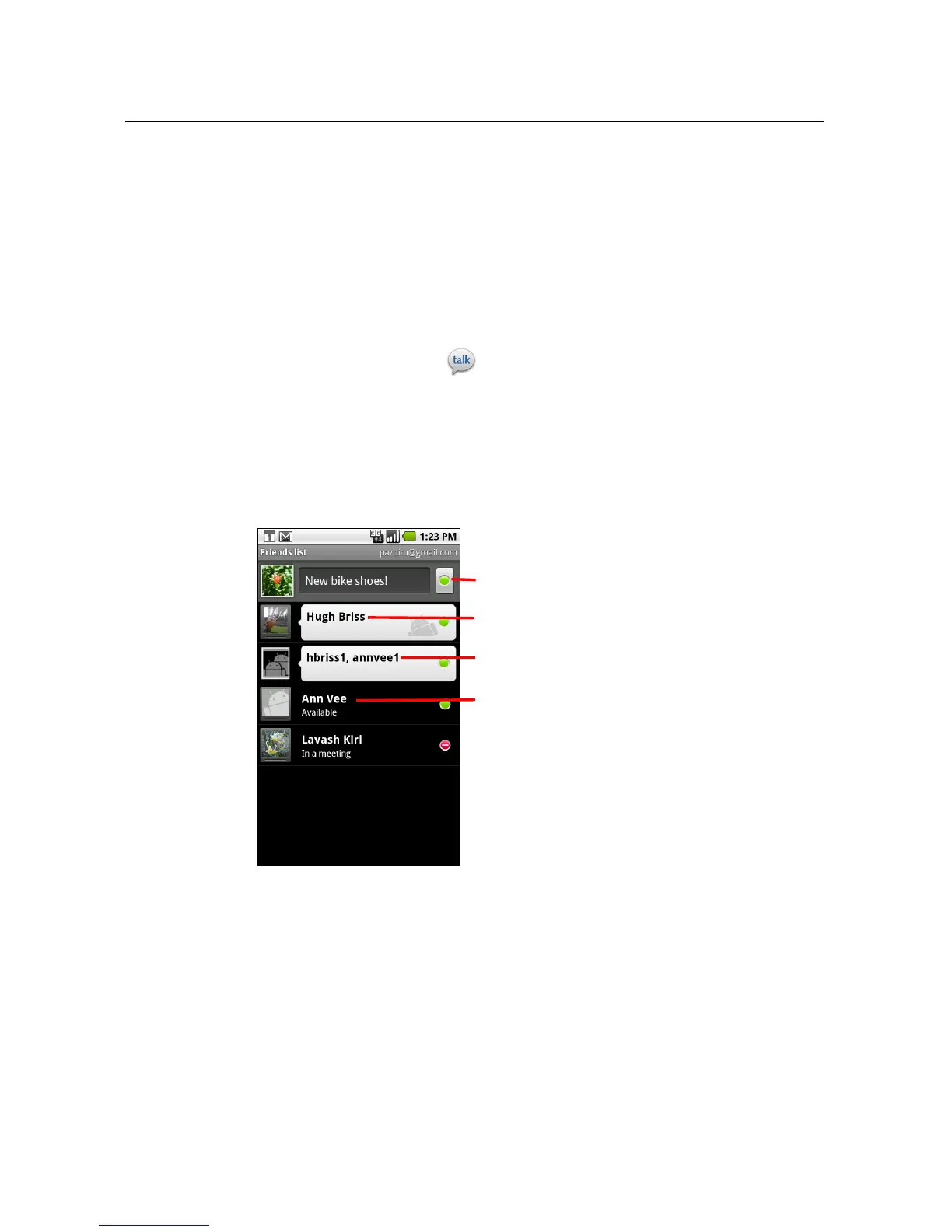
When you first open Google Talk, your Friends list is displayed. This list includes all
of the friends you’ve added by using Google Talk on the web or on the phone.
Adding friends to this list so you can invite them to chat is described in “Managing
your Friends list” on page 171.
Inviting friends to chat and accepting invitations to chat is described in “Chatting
with friends” on page 166.
Your online status.
Touch to open a personal chat you’re
participating in.
Touch to open a group chat you’re
participating in.
Touch a friend to invite them to chat.



 To Next Page