Placing and receiving calls 80
NOUG-2.1.0-100 Nexus One User’s Guide
Working with the Call log
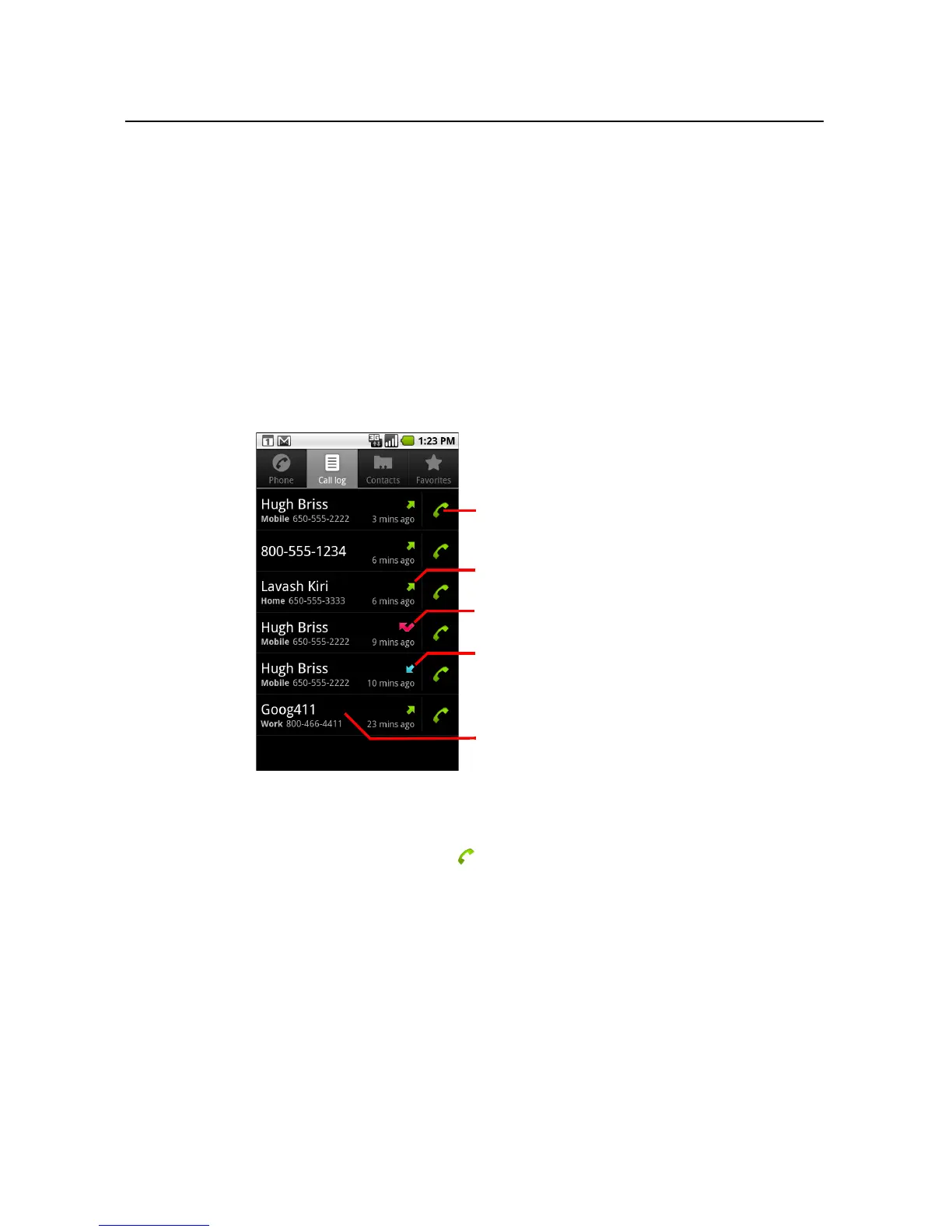
The Call log is a list of all the calls you’ve placed, received, or missed. It offers a
convenient way to redial a number, return a call, or add a number to your Contacts.
To open the Call log
S Press the Call button.
Or, if you have the Phone or Contacts tab open, touch the Call log tab.
Calls are listed with the most recent at the top. Scroll to view earlier entries in the
log.
To dial a number in the Call log
S Touch the green phone icon at the right of the entry.
You can also touch & hold the entry to open a menu with options for
communicating with that contact in other ways.
Missed call
Incoming call
Touch to call back
Outgoing call
Touch & hold an entry for more options



 To Next Page