Your phone and accessories 21
NOUG-2.1.0-100 Nexus One User’s Guide
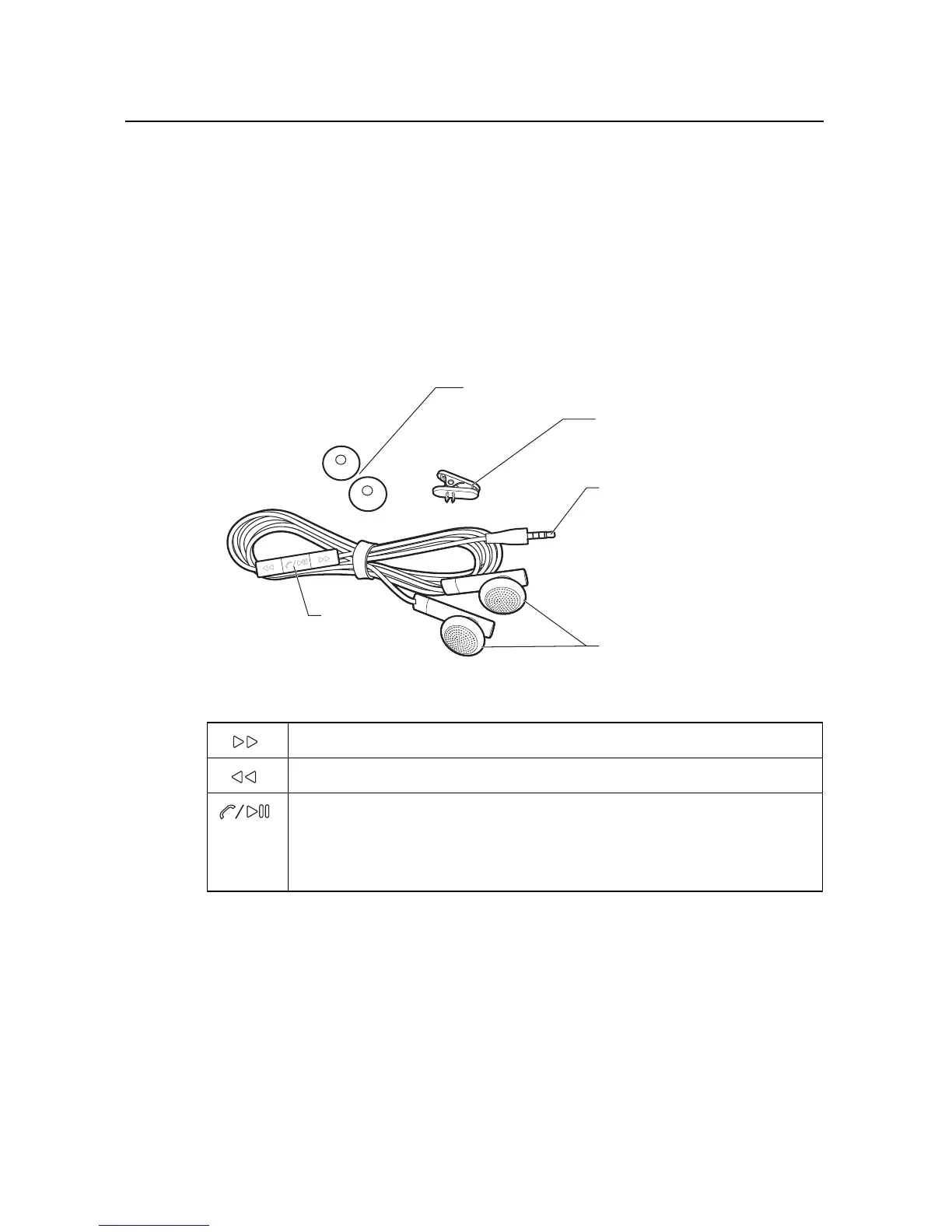
Using the headset
The headset plugs into the phone’s 3.5mm headset jack.It includes a pair of
headphones and a remote with a microphone on the back. The remote also includes
buttons that you use to manage phone calls and music.
Use the lapel clip to attach the remote high on your shirt, so the microphone is near
your mouth.
The remote features a microphone on the back and three buttons on the front.
You control the headphones’ volume with the phone’s Volume Up/Down button.
Skip to the next music track.
Skip to the previous music track.
When listening to music, press pause and play.
For an incoming call, press to answer.
During a phone call, press to mute or unmute the microphone.
During a phone call, press & hold to hang up the call.
3.5mm
headphone jack
Headphones
Remote
(microphone
on back)
Lapel clip
Foam headphone
covers



 To Next Page