Clock 275
NOUG-2.1.0-100 Nexus One User’s Guide
Setting alarms
You can set an alarm by modifying an existing alarm or by adding a new one.
To set an alarm
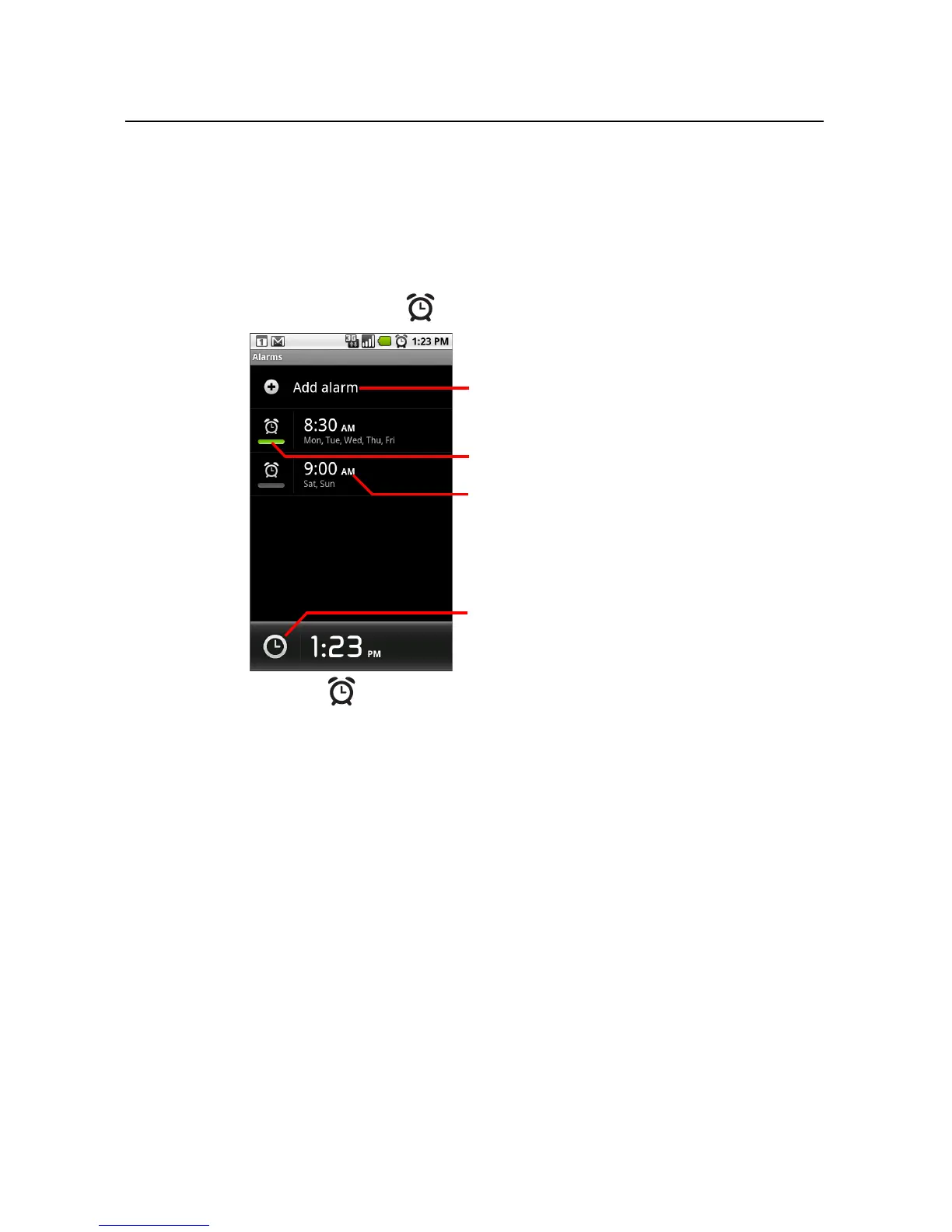
1 Touch the Alarm icon at the bottom of the Clock screen.
2 Touch the icon next to an alarm to turn it on or off.
Alarms that are set are underlined in green.
Touch to add an alarm.
Touch to turn an alarm on or off.
Touch to open a screen where you can
set the alarm’s time and other attributes.
Touch to return to the main Clock
screen.



 To Next Page