Android basics 52
NOUG-2.1.0-100 Nexus One User’s Guide
Searching your phone and the web
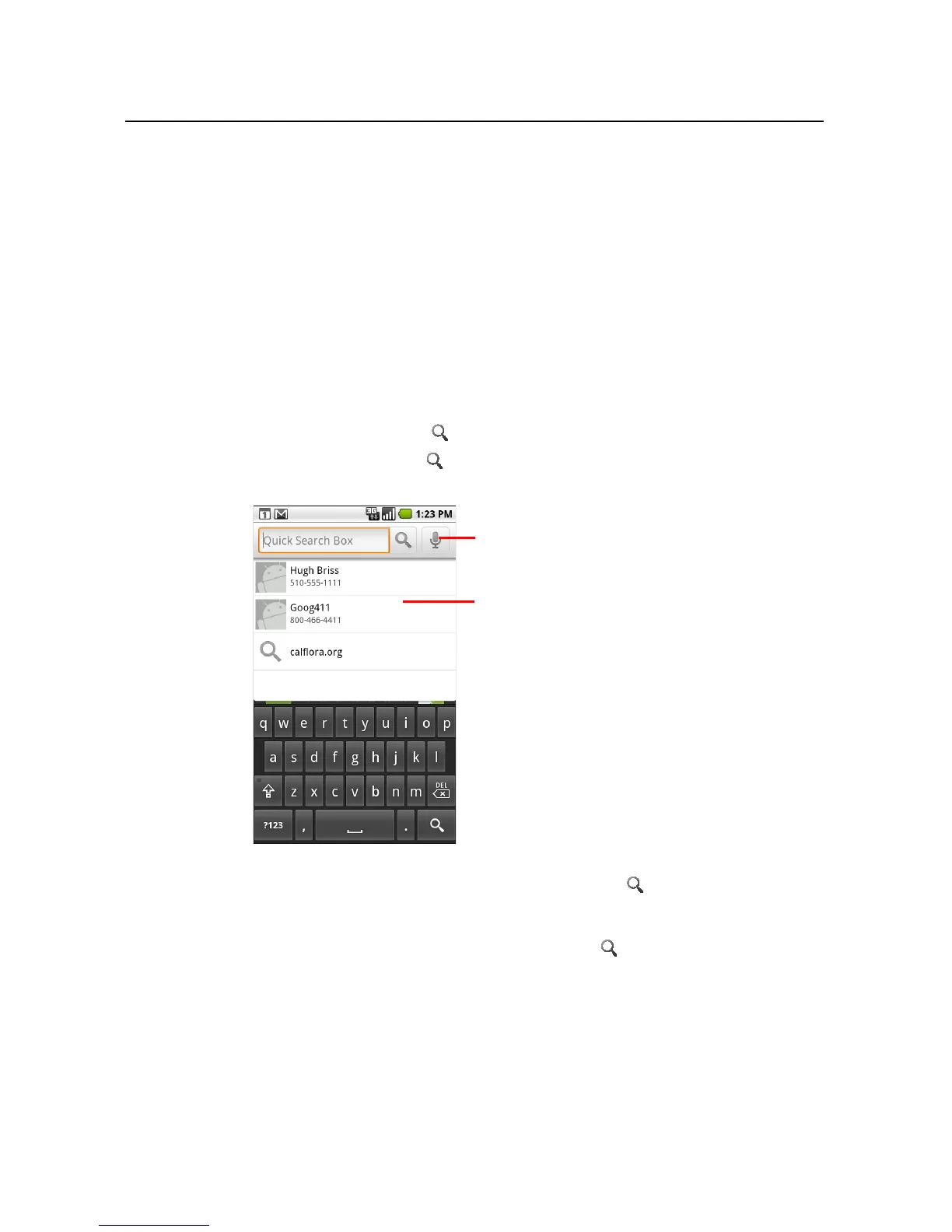
You can search for information on your phone and on the web by typing in Quick
Search Box for Android, or by speaking, with Google search by voice.
Some applications, such as Contacts, Gmail, and Maps, have their own search boxes,
which you can use to search within those applications.
You can also dial a phone number with the Voice Search application, as described in
“Dialing by voice” on page 84.
To search your phone and the web by entering text
1 Press the Search button .
When you press Search on the Home screen or in many other applications,
Quick Search Box opens.
In other applications, such as Gmail, Contacts, and Browser, the application’s own
search box opens when you press the Search button . This is indicated by the
application’s icon on the left side of the search box. (See the sections about those
applications for information about searching in them.) To search your phone and
the web instead of that application, press Search again to switch to Quick
Touch to search by voice.
Shortcuts to previously chosen search
results.



 To Next Page