Gallery 240
NOUG-2.1.0-100 Nexus One User’s Guide
Working with albums
Albums are groups of images and videos in folders on your microSD card or in Picasa
web albums.
To open an album and view its contents
S Open Gallery and touch the album whose contents you want to view.
See “Opening Gallery and viewing your albums” on page 238.
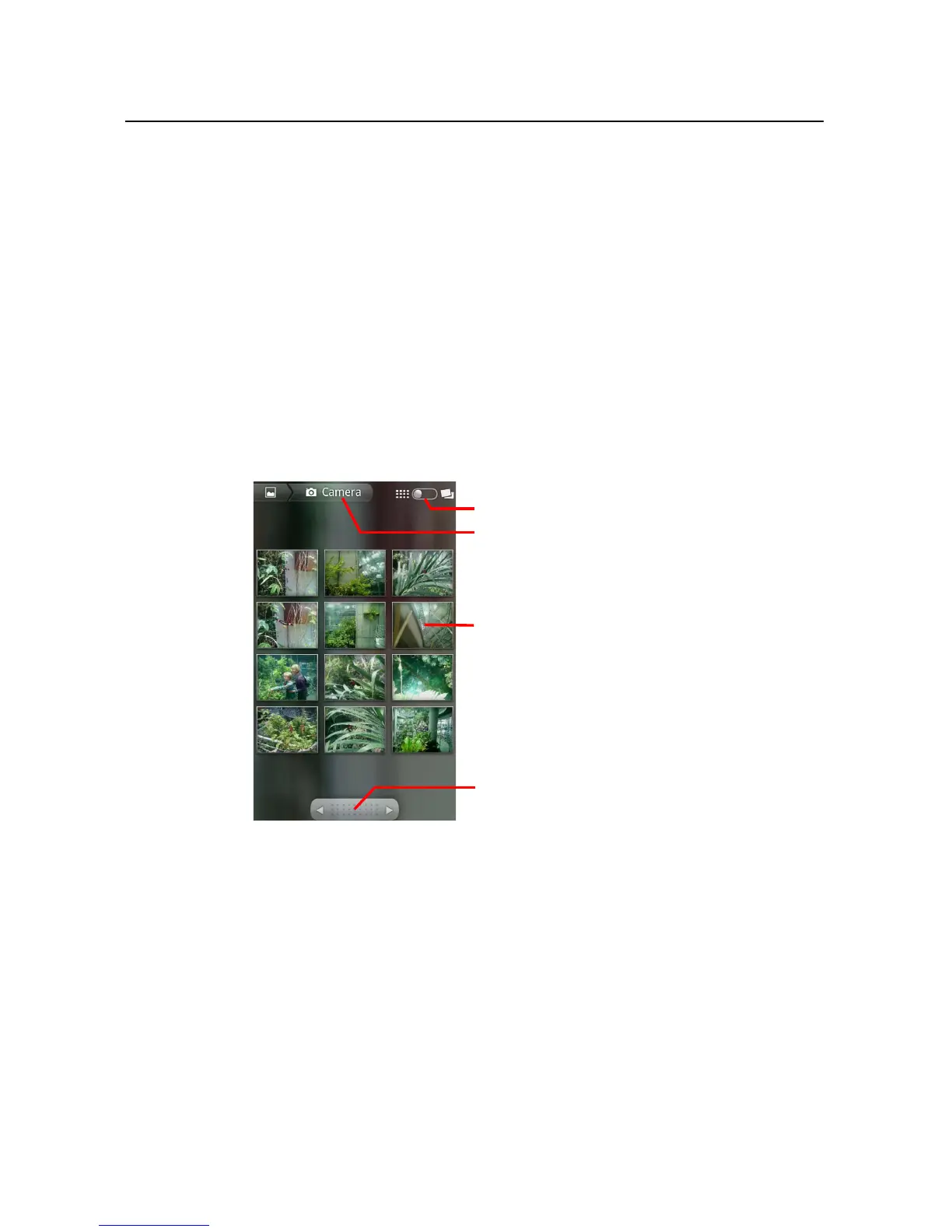
Albums open displaying the pictures and videos they contain in a chronologically
ordered grid. The name of the album is shown at the top of the screen.
You can touch a picture or video to view it, as described in “Working with pictures”
on page 244 and “Working with videos” on page 248.
S Touch an arrow in the scroll tool at the bottom of the screen to scroll images a
screenful at a time.
S Drag the scroll tool to the left or right to scroll more or less quickly. The date of the
images in view is displayed, so you can scroll by date.
S You can also scroll through an album by swiping left or right.
The name of the album.
Touch a picture or video to view it.
Touch an arrow to scroll a screenful at a
time. Drag left or right to scroll rapidly.
Touch to switch from grid to stack view.



 To Next Page