Gallery 239
NOUG-2.1.0-100 Nexus One User’s Guide
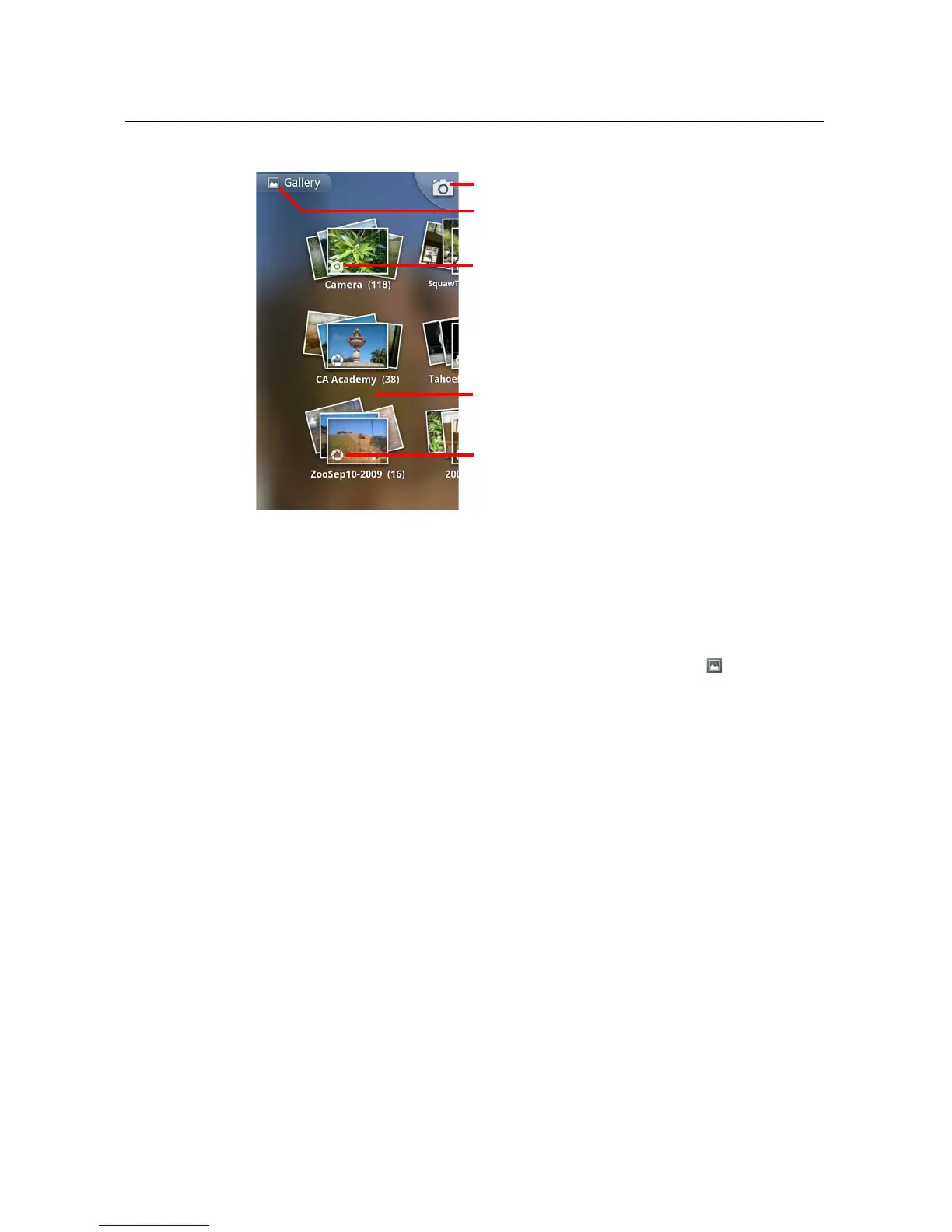
S Touch an album to open it and view its contents.
The pictures and videos in the album are displayed in chronological order. See
“Working with albums” on page 240.
S Touch a picture or video in an album to view it.
See “Working with pictures” on page 244.and “Working with videos” on page 248.
S Return to the main Gallery screen at any time by touching its icon at the top left
of the screen.
Touch to open Camera.
Touch in any view to return to the main
Gallery screen.
An album of the photos and videos you
took with Camera.
A Picasa web album.
Slide left or right to view more albums.



 To Next Page