Market 284
NOUG-2.1.0-100 Nexus One User’s Guide
Opening Android Market and finding applications
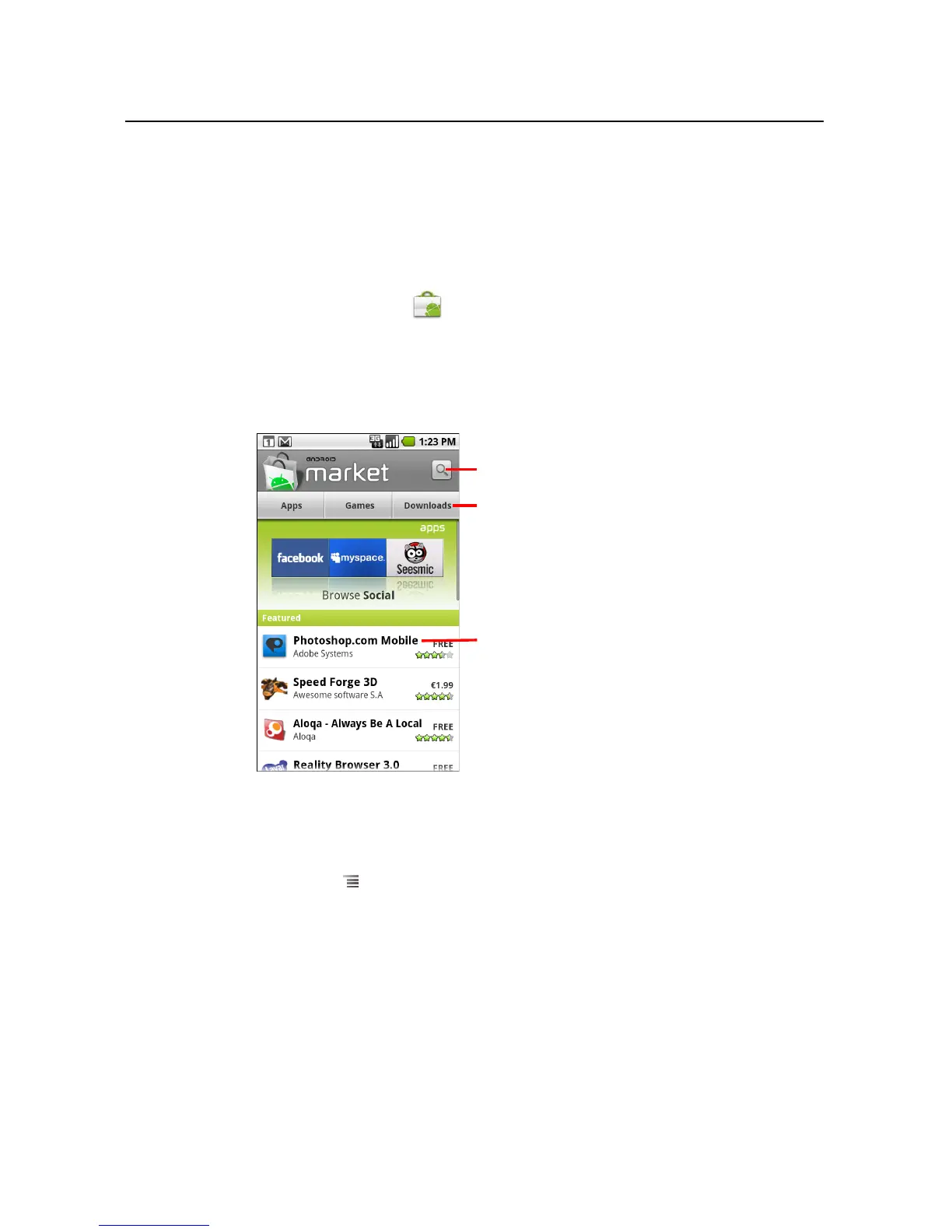
Open Android Market to browse and search for free and paid applications.
To open Android Market
S Touch the Market icon on the Home screen or in the Launcher.
See “Opening and switching applications” on page 44 to learn more about opening
and switching applications.
When you open Android Market for the first time, you must read and accept the
terms of service to continue.
To get help with Android Market
The Android Market Help webpages are available from all Android Market screens.
S Press Menu and touch Help.
The Browser opens to the Android Market Help page, with links to many help
topics. For information about using the Browser, see “Browser” on page 195.
Touch to search Market.
Touch a category to open it.
Touch a featured application to open it.



 To Next Page