Android basics 30
NOUG-2.1.0-100 Nexus One User’s Guide
Getting to know the Home screen
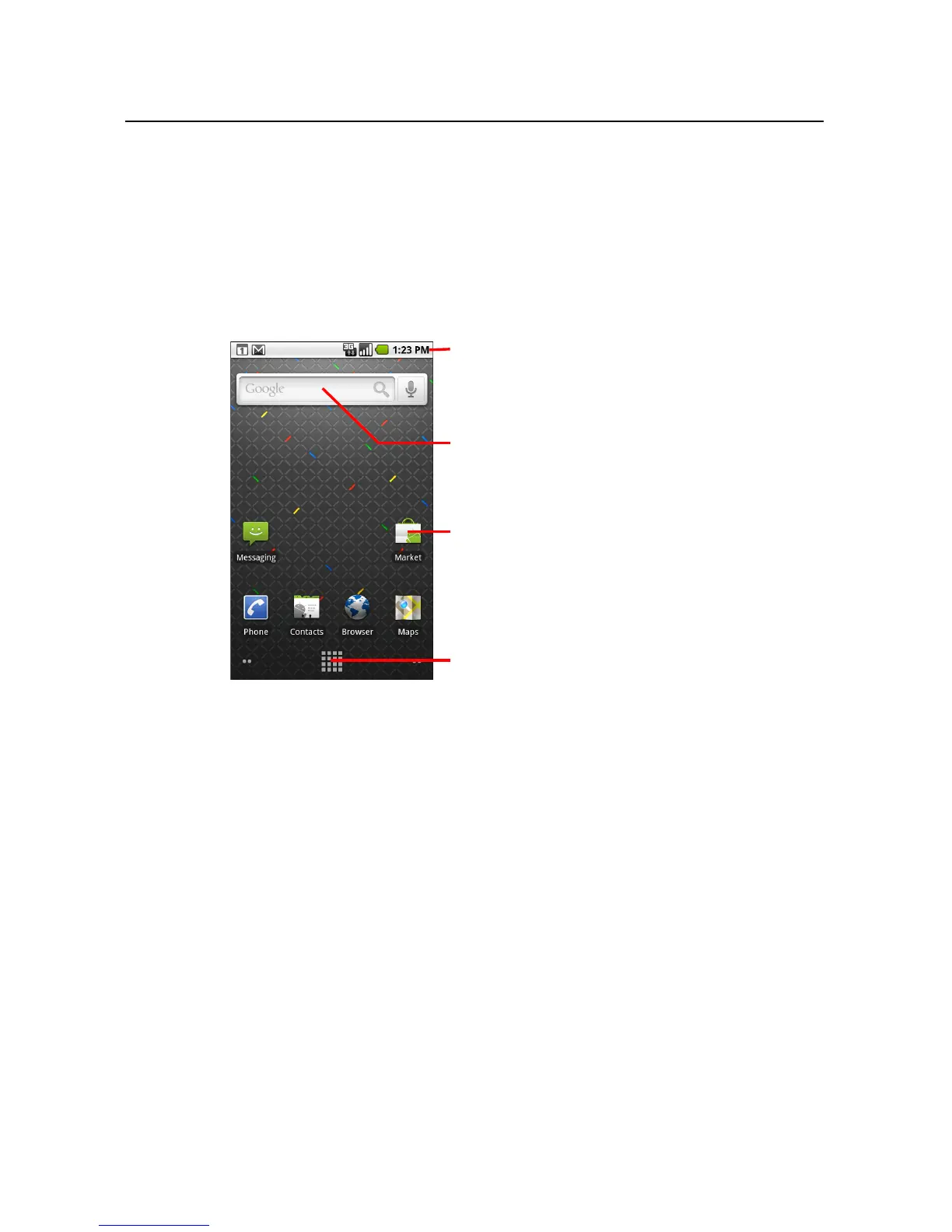
When you sign in, the Home screen opens.
The Home screen is your starting point to access all the features on your phone. It
displays application icons, widgets, shortcuts, and other features. You can customize
the Home screen with different wallpaper and display the items you want. See
“Customizing the Home screen” on page 56.
At the top of the screen, the Status bar displays the time, information about the status
of your phone, and icons for notifications that you’ve received. To learn more, see
“Monitoring your phone’s status” on page 48 and “Managing notifications” on
page 50.
Touch the Launcher icon at the bottom of the screen to view all installed applications.
See “Opening and switching applications” on page 44.
The Status bar shows the time, signal
strength, battery status, and other
information. It also displays notification
icons.
Widgets are applications that you can
use directly on the Home screen.
Touch an icon to open an application,
open a folder, and so on.
Touch the Launcher icon to open the
Launcher and view icons for all installed
applications.



 To Next Page