Market 285
NOUG-2.1.0-100 Nexus One User’s Guide
To browse for applications
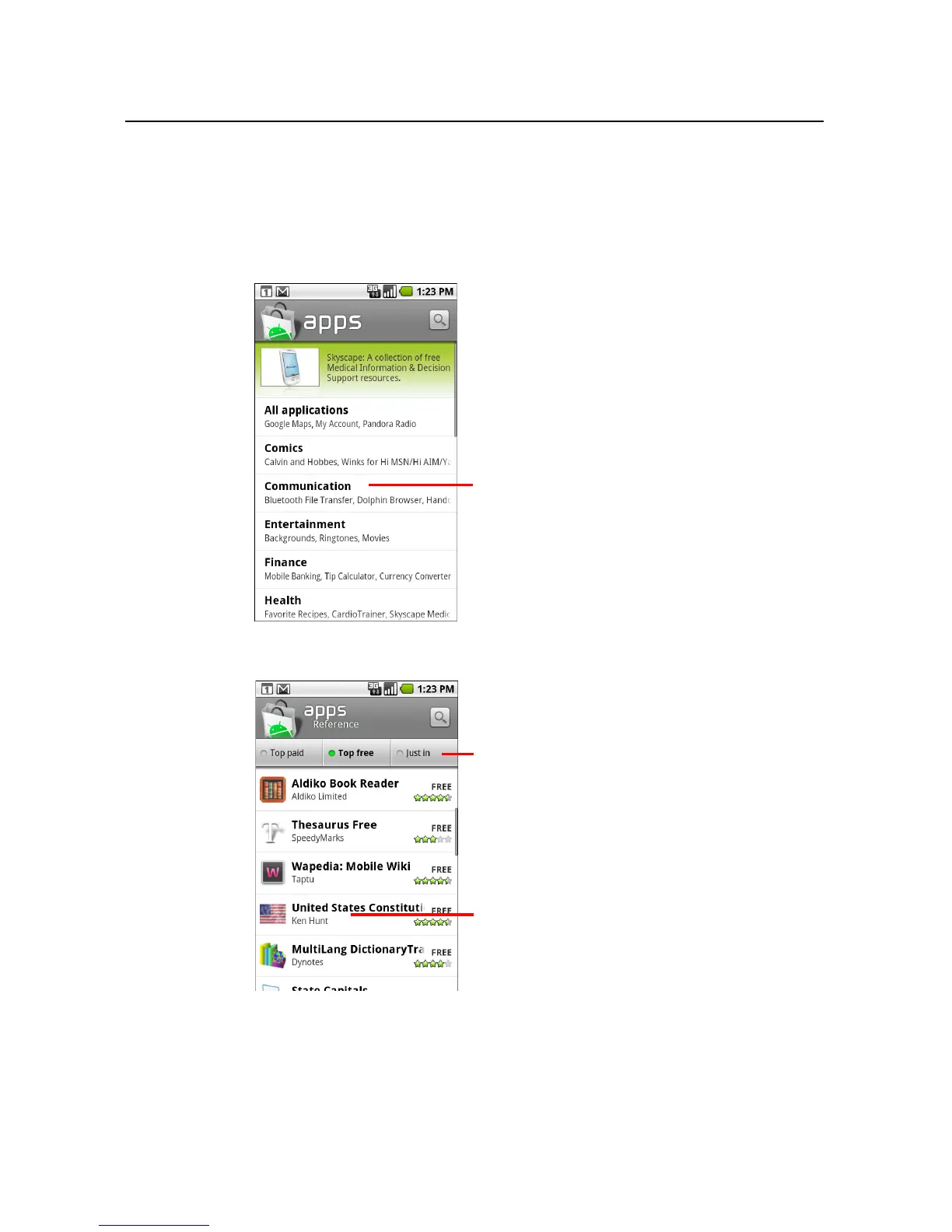
You can browse applications by category and sort them in different ways.
1 On the Android Market home page, touch a top-level category, such as Apps or
Games.
2 Scroll to view subcategories and touch the one you want to explore.
3 Touch Top paid, Top free, or Just in to further sort the subcategory.
Touch a subcategory to view
its list of applications.
Touch a tab to view top paid, top free, or
recent applications in this subcategory.
Touch an application to open its details
screen.



 To Next Page