Your phone and accessories 19
NOUG-2.1.0-100 Nexus One User’s Guide
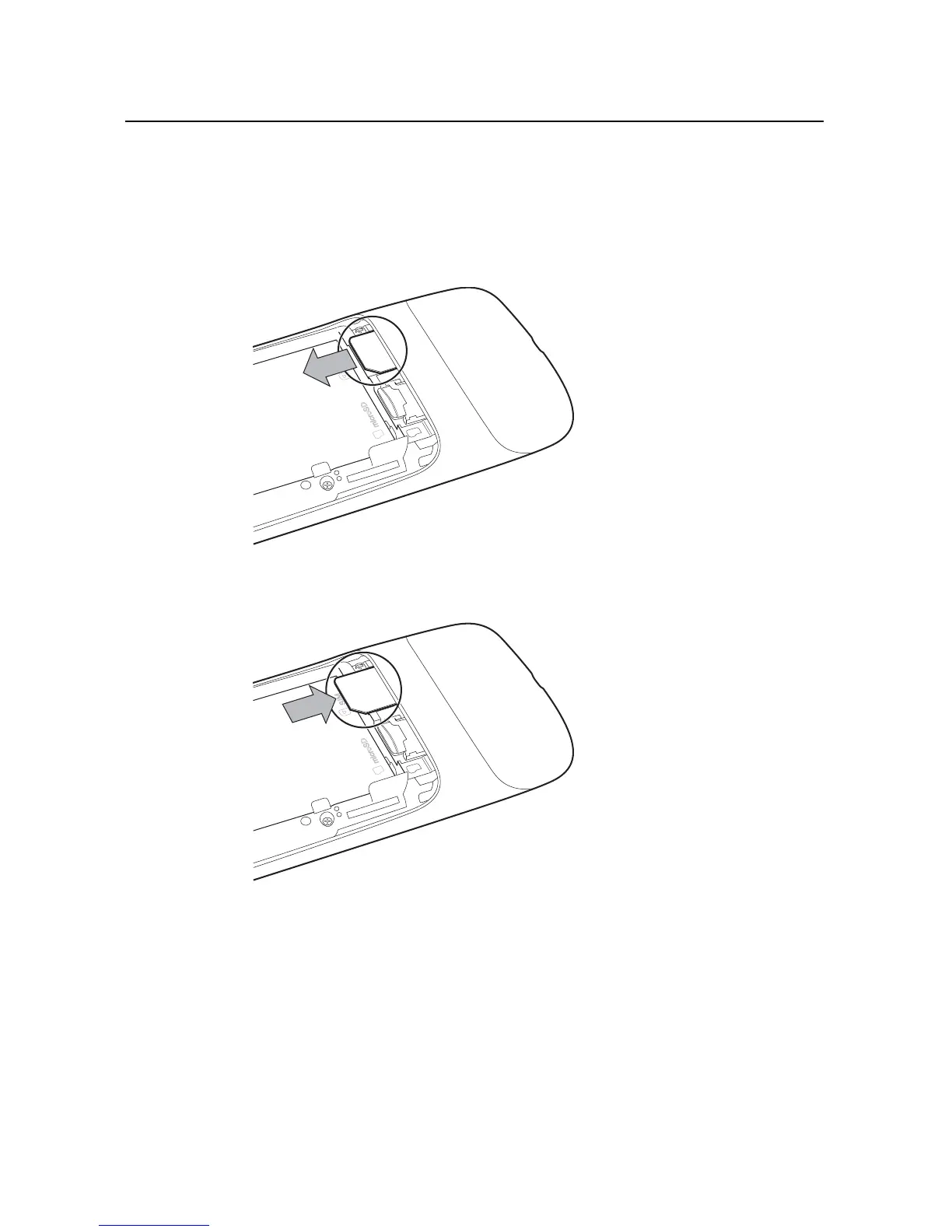
To remove or insert a SIM card
You must open the phone’s back cover and remove the battery to remove or insert the
SIM card.
S Remove the SIM card by sliding it out of its slot with the tip of your finger.
S Insert the SIM card by aligning it (notch to the top left and gold contacts down) and
then sliding it into its slot.



 To Next Page