Placing and receiving calls 77
NOUG-2.1.0-100 Nexus One User’s Guide
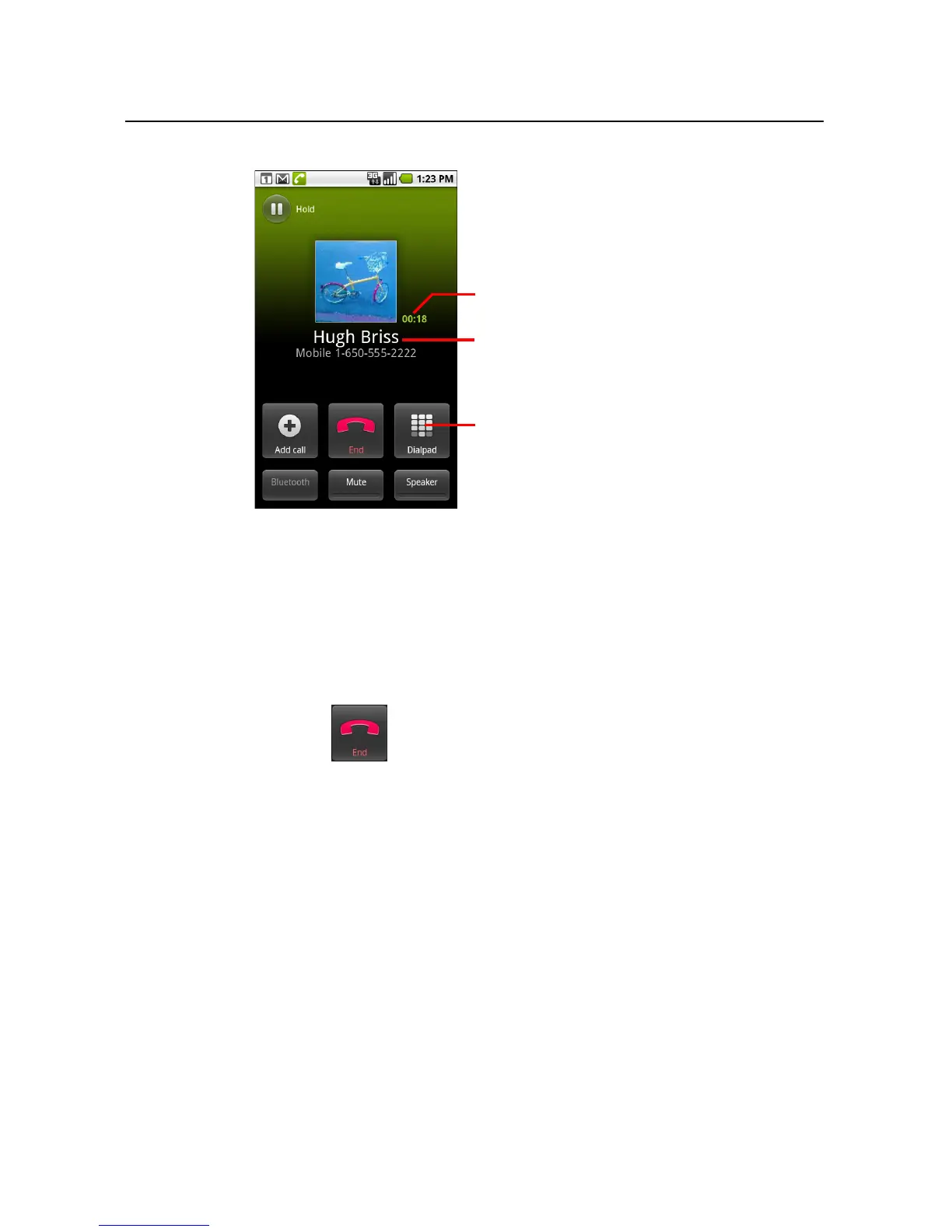
You can switch applications during a call—for example, to look up information by
using the Browser. The green phone icon appears in the Status bar while the call is
underway.
Press the Volume Up / Down button to adjust the call volume.
Use the onscreen buttons to place the current call on hold, to add a caller, and for
other options, as described in “Options during a call” on page 85.
To end a call
S Touch End .
To disable phone calls (Airplane mode)
Some locations may require you to turn off your phone’s wireless connections by
placing your phone in Airplane mode.
1 Press & hold the Power button
2 Touch Airplane mode.
You can also use the Settings application to turn Airplane mode on and off and to
configure other mobile and network settings. See “Wireless & networks” on
page 295.
The duration of the call.
Information from Contacts about the
person you’re calling.
Touch to enter additional numbers
during your call.



 To Next Page