9
2. If the PPP connection mode is Auto or On Demand, please refresh the interface to
view the current connection status.
3. If the PPP connection mode is Manual, please click Connect /Disconnect button
to .connect or disconnect the network connection,
4. Wait for a moment, interface displays connection successful, then you can open the
Internet Browser and input the network site to surf the internet.
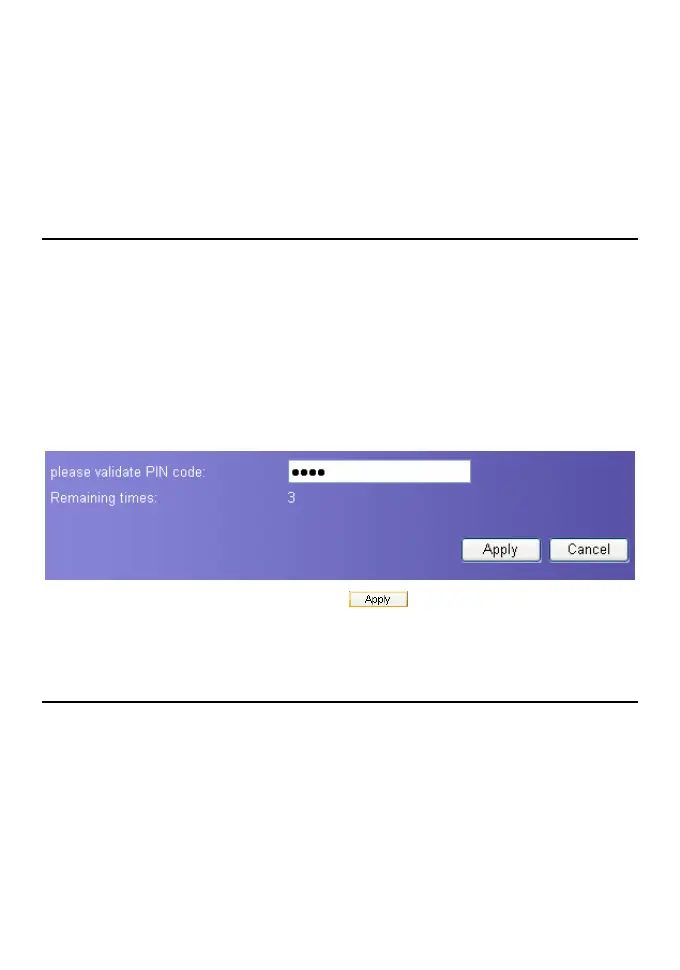
Verify the PIN Code
If the PIN code protection is enabled, you are prompted to enter the PIN code when you
restart the gateway and login to the management console.
Note:
y The PIN code and PUK code are provided along with your SIM card. For ditails,
contact your service provider.
y If you enter wrong PIN codes for three times, the PIN code id locked. For
details about unlocking the PIN code, refer to “Unlock PIN code”.
y If verify PIN failed, you cannot use the management console and setup your
gateway.
1. Input the correct PIN code, and then click
.
2. After the page displays verifying PIN code successfully, please click Continue to enter
the connection interface.
View the Configuration Information
On the page of configuration status, you can query the current status about gateway
parameters and network connection status.
1. Click Basic Status in the operation navigation area.
2. Click Advanced on the right-hand side to view other configuration.
3. Click Refresh to view the current status on the advanced status page.









 To Next Page