12
SSID Broadcast: Enable or disable the broadcast function
y Enabled: The gateway broadcasts the SSID of this WLAN, and users can easily access.
Unauthorized users, however, can also easily access WLAN of this type. This type of
WLAN has very low security level.
y Disabled: The E960 does not broadcast the SSID of this WLAN. Before accessing a
WLAN of this type, the user must get the SSID of the WLAN. In this manner, the
WLAN security is ensured.
Note:
For the convenience of the client accessing the WLAN, you can select Enabled for
SSID Broadcast when you set up a WLAN. Once you finish setting up the WLAN,
you can disable the SSID broadcast to enhance the security of the WLAN.
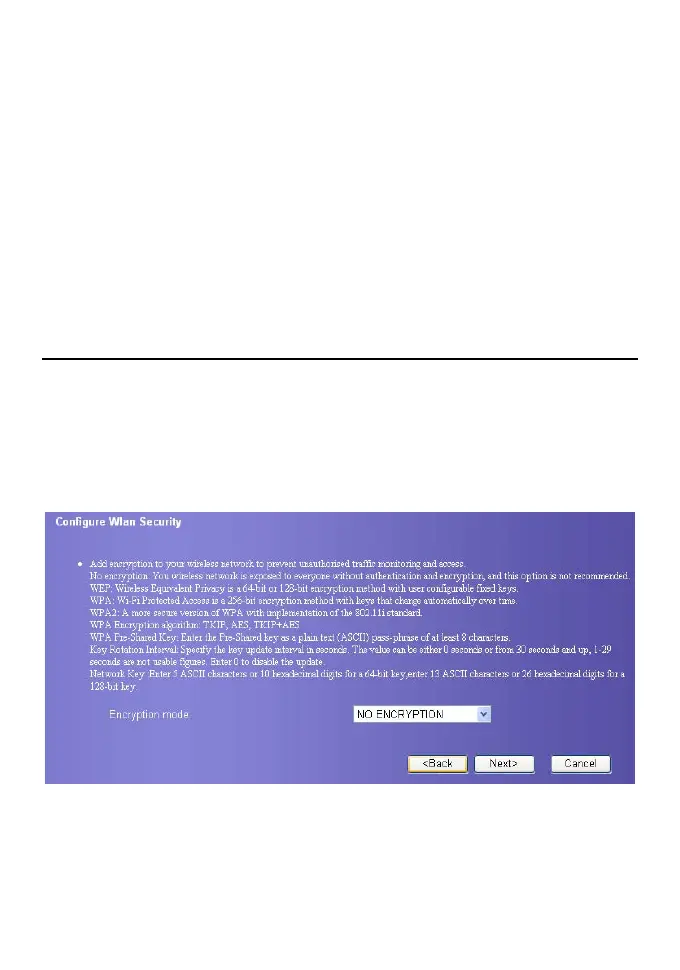
Configure the Security encryption
To access the wireless network, you must set the wireless security key of your PC
consistent with the security key of the wireless gateway.
No Encryption
For the convenience of the client accessing the WLAN, you can set the Encryption mode
to NO ENCRYPTION when you set up a WLAN. However, this option is not
recommended in daily use for the security of the WLAN.
WPA-PSK /WPA2-PSK
y WPA-PSK: The Wi-Fi protected access and pre-shared key encryption method. It is a
256-bit encryption mode with keys changing automatically over time.
y WPA2-PSK: The higher security version of WPA-PSK encryption mode.
y WPA Encryption: It adopts the encryption algorithms of WPA. It has three encryption
algorithms: TKIP, AES, and TKIP+AES.









 To Next Page