21
7 System Management
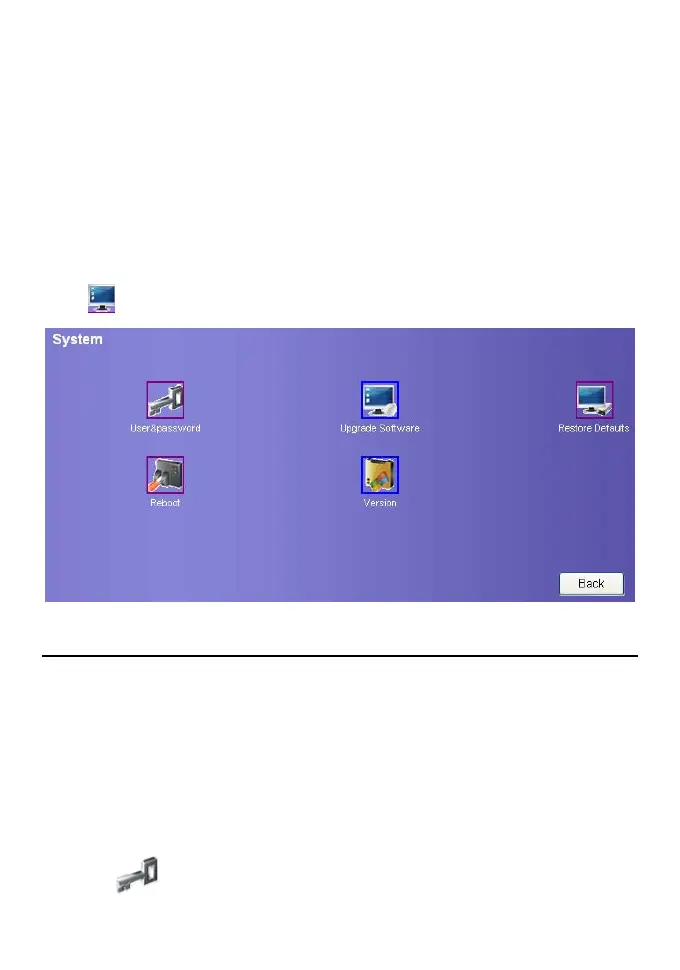
On the system management page, you can modify password, upgrade software, restore
factory defaults, restart device, and view the version information.
Click
to enter the system management page as following figure.
Change the User password
You can modify the entry password to prevent unauthorized users form logging on your
management console.
Note:
y Administrators can modify only the administrator passwords. They cannot
modify the passwords of common users.
y The common users cannot modify passwords.
y A password can contain the following characters: Uppercase letters, Lowercase
letters, Numbers, Commonly used keyboard symbols, When special symbols are
entered as the password, the system prompts error.
1. Click
to enter the page of modifying password.









 To Next Page