30
2. Enter correct parameters.
y Profile List:It is used to select a Profile from an established dial access list. If the
drop-down list is null, you need to create a Profile.
y PPP Connection: It is used to select the dial-up mode.
Dial-up mode description
Auto After a device is started, the system automatically creates a
permanent connection, no matter whether there is data transfer.
On Demand The connection exists when there is data transfer, and disappears
when there is no data transfer.
Manual Manually dial up to create a connection.
y PPP Max Idle Time: It refers to the lasting time of the PPP connection when no data is
transferred. In On Demand mode, if no data is transferred during the set PPP max idle
time, the PPP connection stops.
y PPP MTU: It is used to set the maximum number of bytes encapsulated in a single data
frame. The default setting is 1500 bytes.
y PPP Max Dial Time: It is used to set the longest waiting time during a dial access
connection.
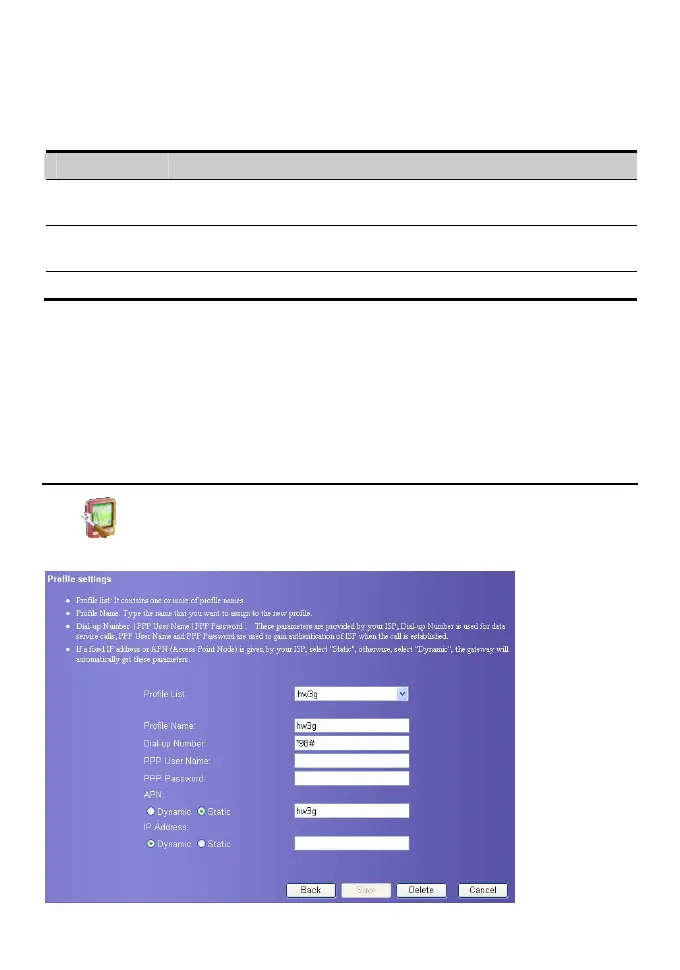
Manage the Profile List
Click . The Profile Settings page displays and you can create, edit, save and delete a
profile.









 To Next Page