24
8 SIM Setting
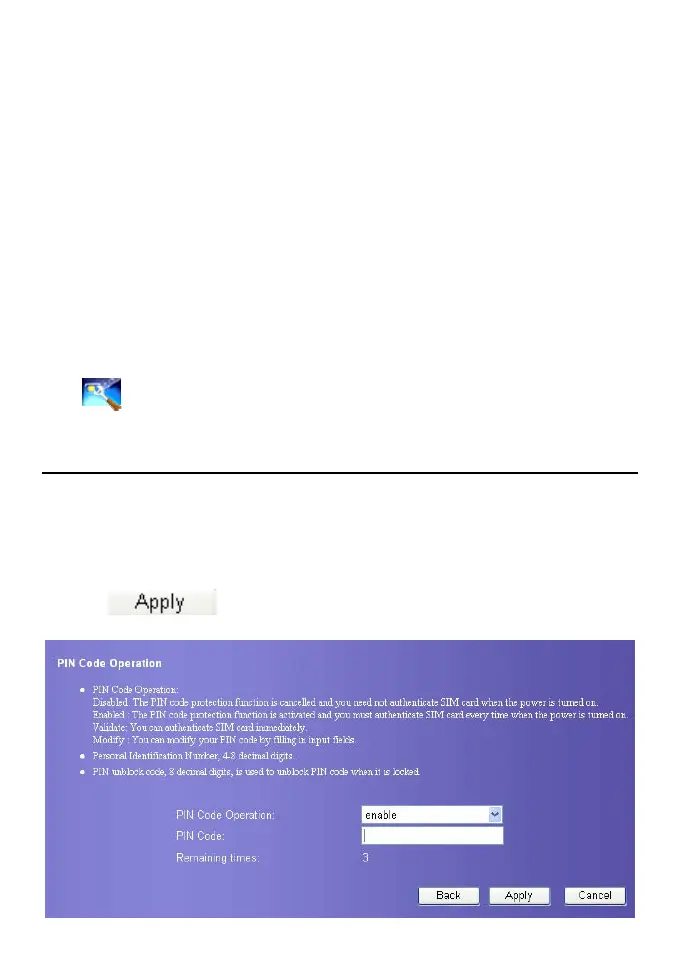
You can perform setting and management on the SIM card and PIN code on the SIM setting
page, consisting of enabling/disabling/modifing/unlocking PIN code.
Note:
y If you input the false PIN code over three times, the PIN code is locked. You
need to input the PUK code to unlock.
y PIN code must be 4~8 digits.
Click
to enter the SIM setting pag.
Enable/Disable PIN Code
If the PIN code protection is enabled, you need to enter the correct PIN code when restart
the device and log in to the management console; If the PIN code protection is disabled,
You can log in without PIN code authentication
1. Select enable/disable in the PIN Code Operation list box.
2. Input correct PIN code.
3. Click
, submit the setting.
4. The system prompts operation failed if the input PIN code is false.









 To Next Page