22
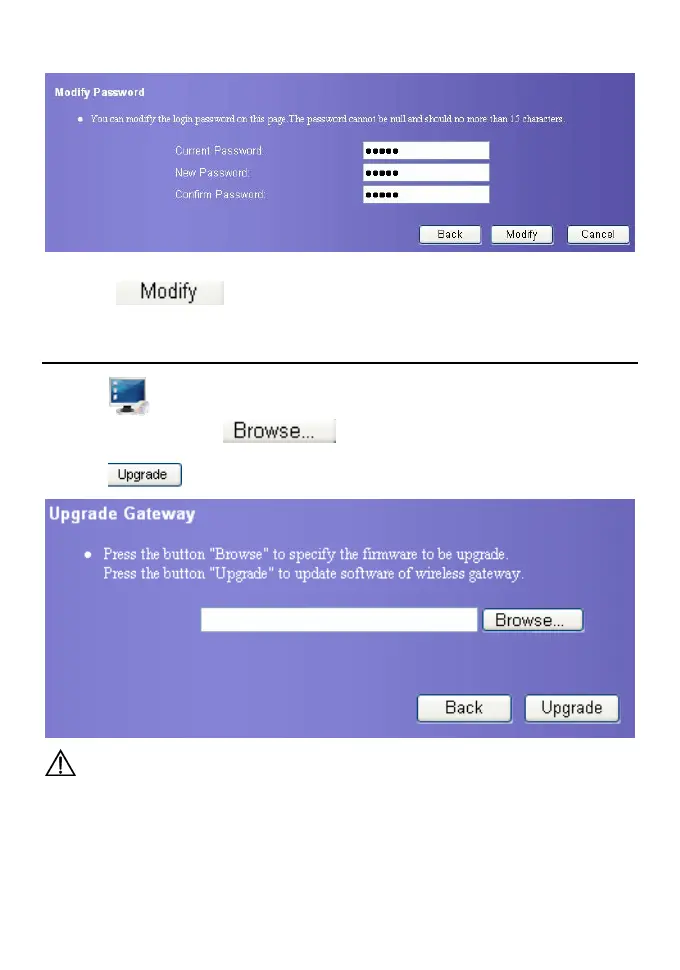
2. Input the current password, then input the new password and confirm.
3. Click
to save the setting.
Upgrade the Gateway
1. Click . The system upgrading page is displayed.
2. Input the path or click
to select the software image files to be
updated.
3. Click
. The system updates the software.
Caution:
y After the system is upgraded, the system automatically restarts.
The whole process takes about 2 minutes.
y The software programs used for upgrade must come from the official website of
Huawei or the official website of the network carrier.
y The system upgrading could not affect the clients of your gateway at all.









 To Next Page