27
Mode Performance Description
3G preferred Maximum rate:
2.4 Mbit/s
The E960 automatically selects the data
service mode according to the signal intensity
of the network. The high-speed data service
mode is preferred.
GPRS
preferred
Maximum rate:
153.6 Kbit/s
The E960 automatically selects the data
service mode according to the signal intensity
of the network. The low-speed data service
mode is preferred.
3G only Maximum rate:
2.4 Mbit/s
The E960 can only work in high-speed data
service mode.
GPRS only Maximum rate:
153.6 Kbit/s
The E960 can only work in voice mode and
low-speed data service mode.
Note:
y If carrier only provides GPRS service and Preferred Mode is configured as 3G
Only,you cannot use network service.
y If carrier only provides 3G service and Preferred Mode is configured as GPRS
Only,you cannot use network service.
y If carrier neither provides GPRS or 3G service,you cannot use any network
service.
3. Select the frequency of the chose connection mode in the Band list box. The available
frequencies include: Full frequency, GSM900/1800/WCDMA2100, and GSM1900.
4. Click
to submit setting.
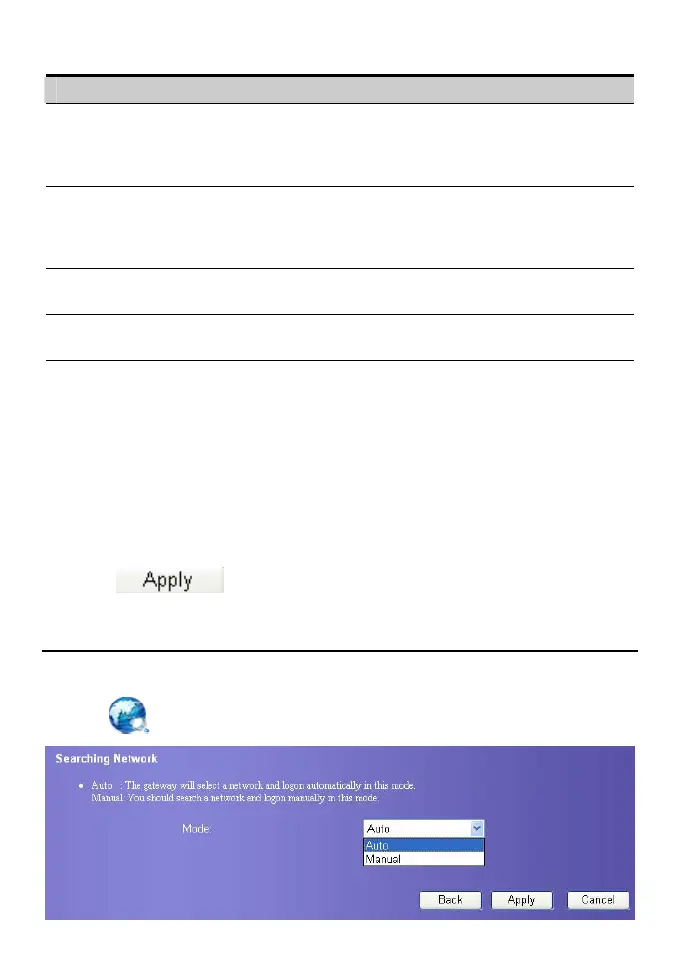
Choose Searching Mode
You can set the mode for searching networks. The mode can be either Auto or Manual.
1. Click
. The Searching Network page displays.









 To Next Page