41
13 Typical Networking Example
Your gateway can form a WLAN through the WLAN interface, or can form a small-sized
LAN through the four Ethernet interfaces connecting with a terminal device in small office
or home office (SOHO).
Your gateway also supports external concentrator, Ethernet switch, or router. To form a
LAN with multiple PCs, you can extend the Ethernet interfaces through the concentrator or
Ethernet switch.
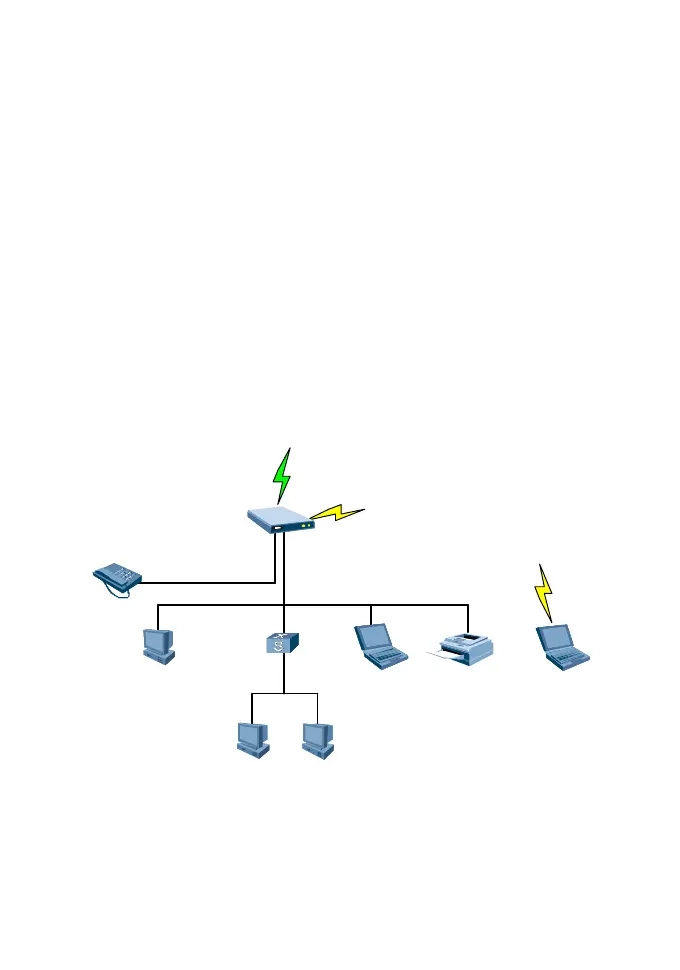
For example, your gateway forms a small-sized LAN with multiple PCs in the SOHO to
access internet wirelessly, and the networking diagram is as follows:
DHCP
IP:192.168.1.107
Routing/NAT
E9 60
PC3PC2
PC1
Pr in t erLaptop1 Laptop2
LAN Sw itch/
Router
IP:192.168.1.108
DHCP
IP:192.168.1.105
192.168.1.1/24
218.10.1.1
DHCP
IP:192.168.1.109
UPLINK(HSDPA )
WLAN
WLAN
Phone
Ethernet
RJ11









 To Next Page