18
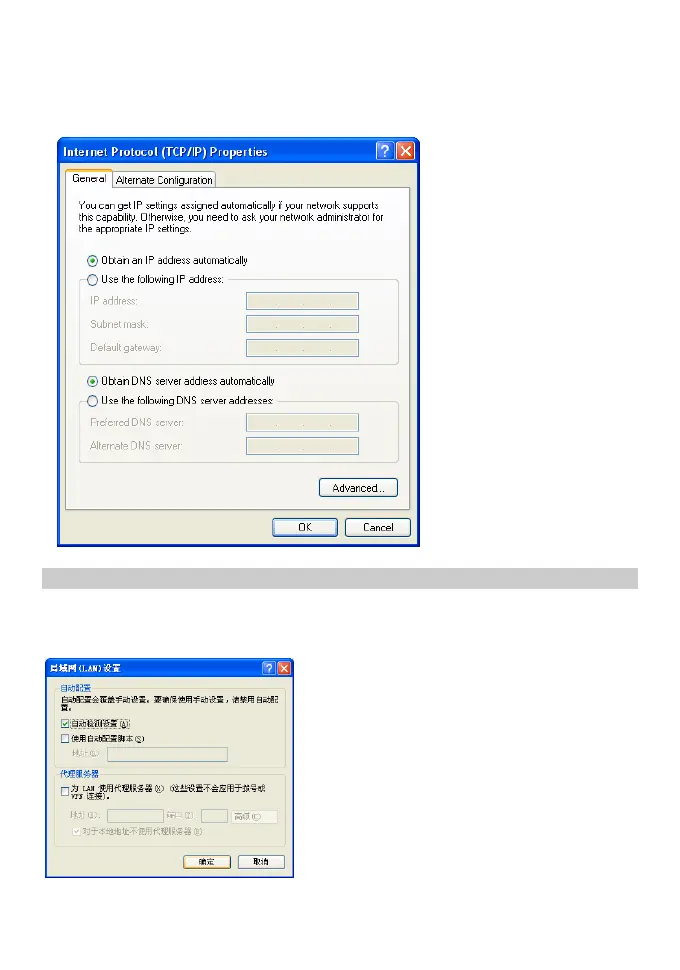
4. Select Obtain an IP address automatically and Obtain DNS server address
automatically in the Internet Protocol (TCP/IP) Properties dialog box, and then
click OK.
Disable Proxy Settings
1. Open the Internet Explorer,select Tools>Internet Options.
2. Choose Connections and then select LAN Settings.
3. Unpick the Use a proxy server for your LAN.









 To Next Page