HUAWEI G6-U10 Smartphone FAQs
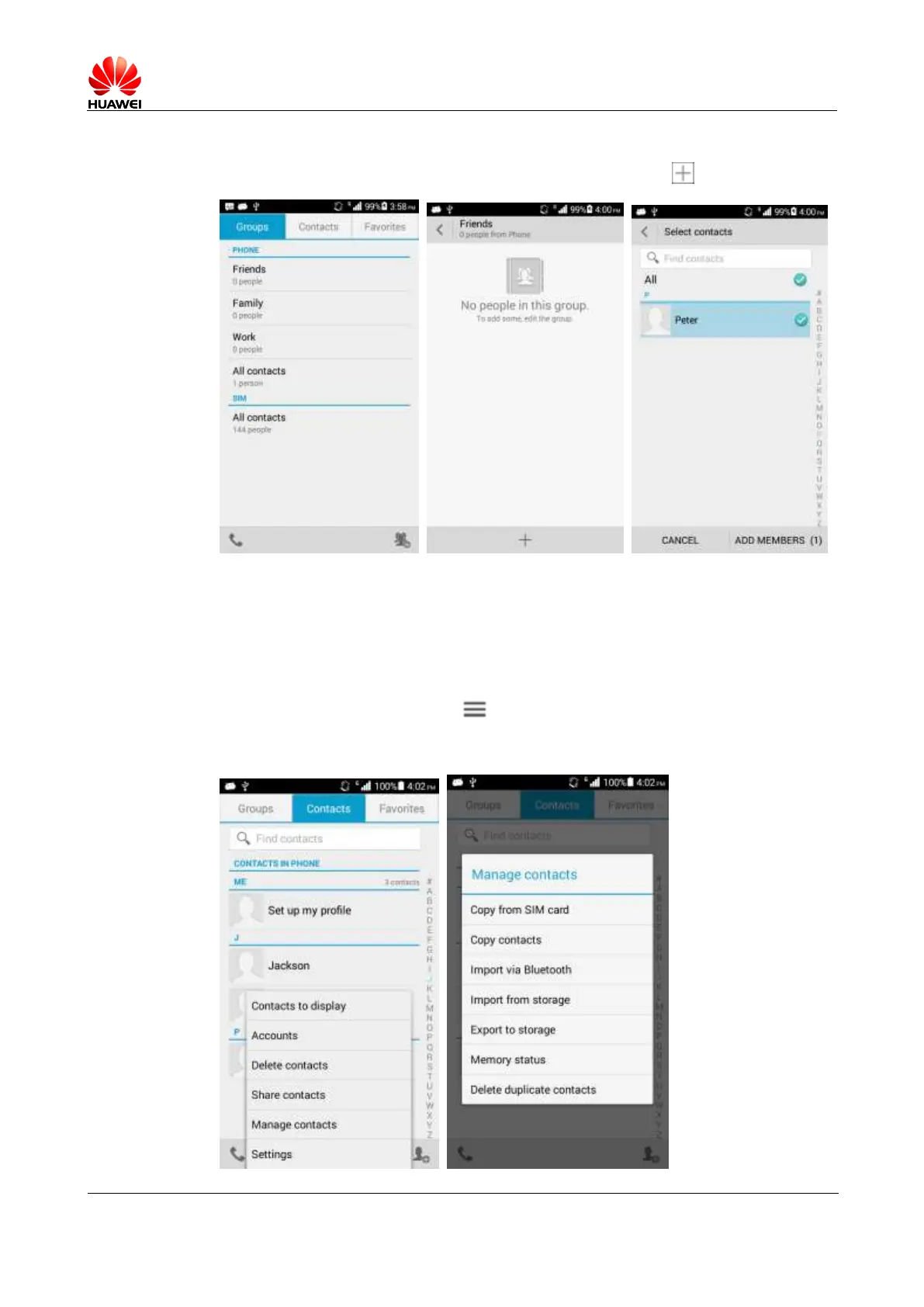
Touch People. On the Groups screen, select a group and touch to add members.
1.6.5 How do I manage (copy/back up) contacts?
Backing up contacts to an SD card:
1. Touch Settings > DEVICE > Storage > Default Storage Location. Select the SD card.
2. On the Contacts screen, touch > Manage contacts > Export to storage and then
touch OK. You can open File Manager and check the VCF file in the root directory of
the SD card.



 To Next Page