HUAWEI G6-U10 Smartphone FAQs
1.8 Calling
1.8.1 How do I record a call?
This feature is not supported.
1.8.2 What can I do during a call and how do I switch between
calls?
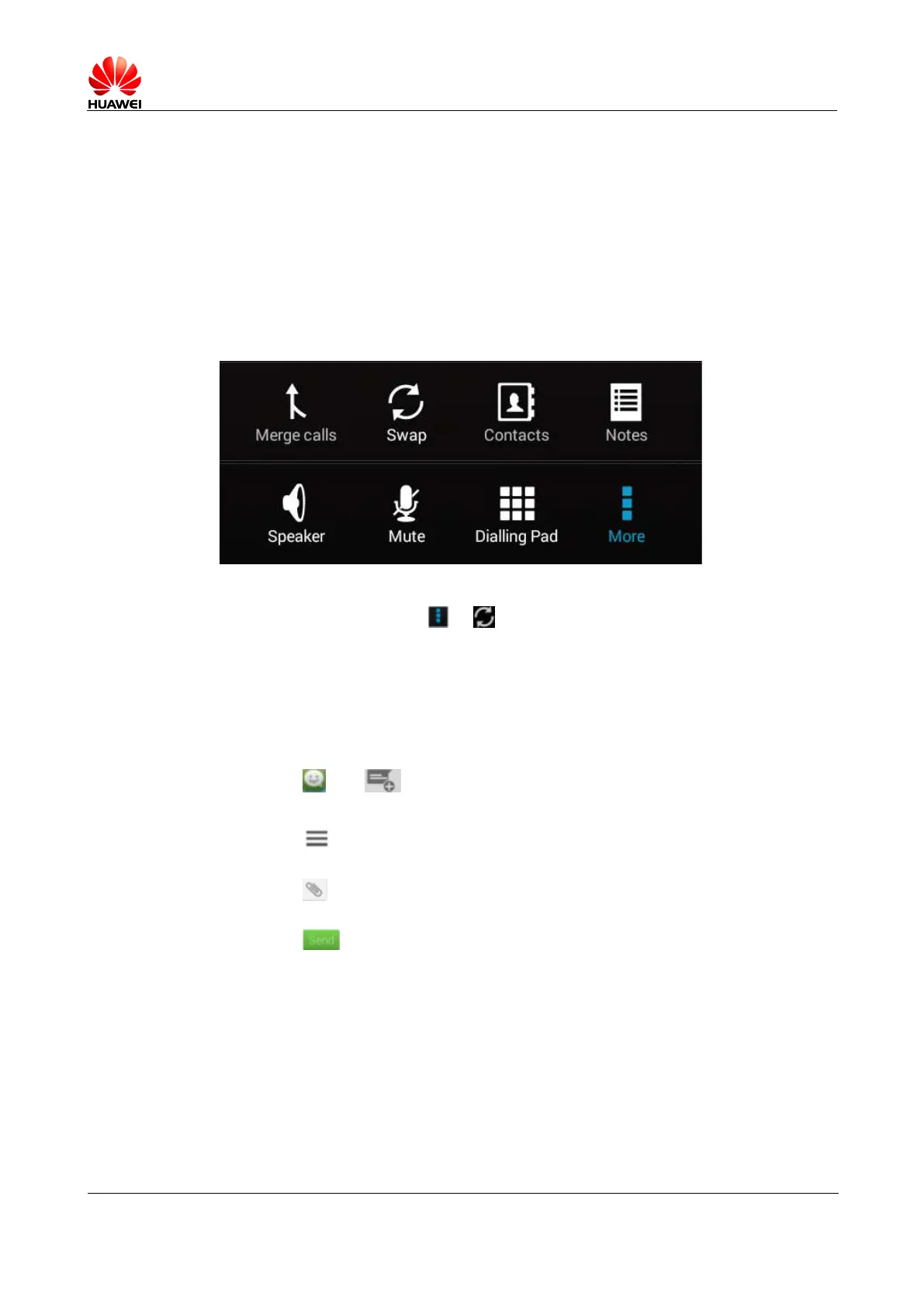
You can perform the following operations during a call.
To switch between calls, touch > .
1.9 Multimedia Messages
1.9.1 Sending a Multimedia Message
1. Touch and . Text a message.
2. Input the recipient.
3. Touch and add a theme. The message is automatically converted to a multimedia
message.
4. Touch to add a picture, audio, or video attachment. The message is automatically
converted to a multimedia message when a multimedia file is added.
5. Touch .
1.9.2 I failed to send or receive a multimedia message. What
should I do?Failed to send a multimedia message:
Possible cause 1: The network connection is unstable or signals are poor.
Solution: Try again later.
Possible cause 2: The network is busy.
Solution: Try again later.
Possible cause 3: The number of the recipient is incorrect.



 To Next Page