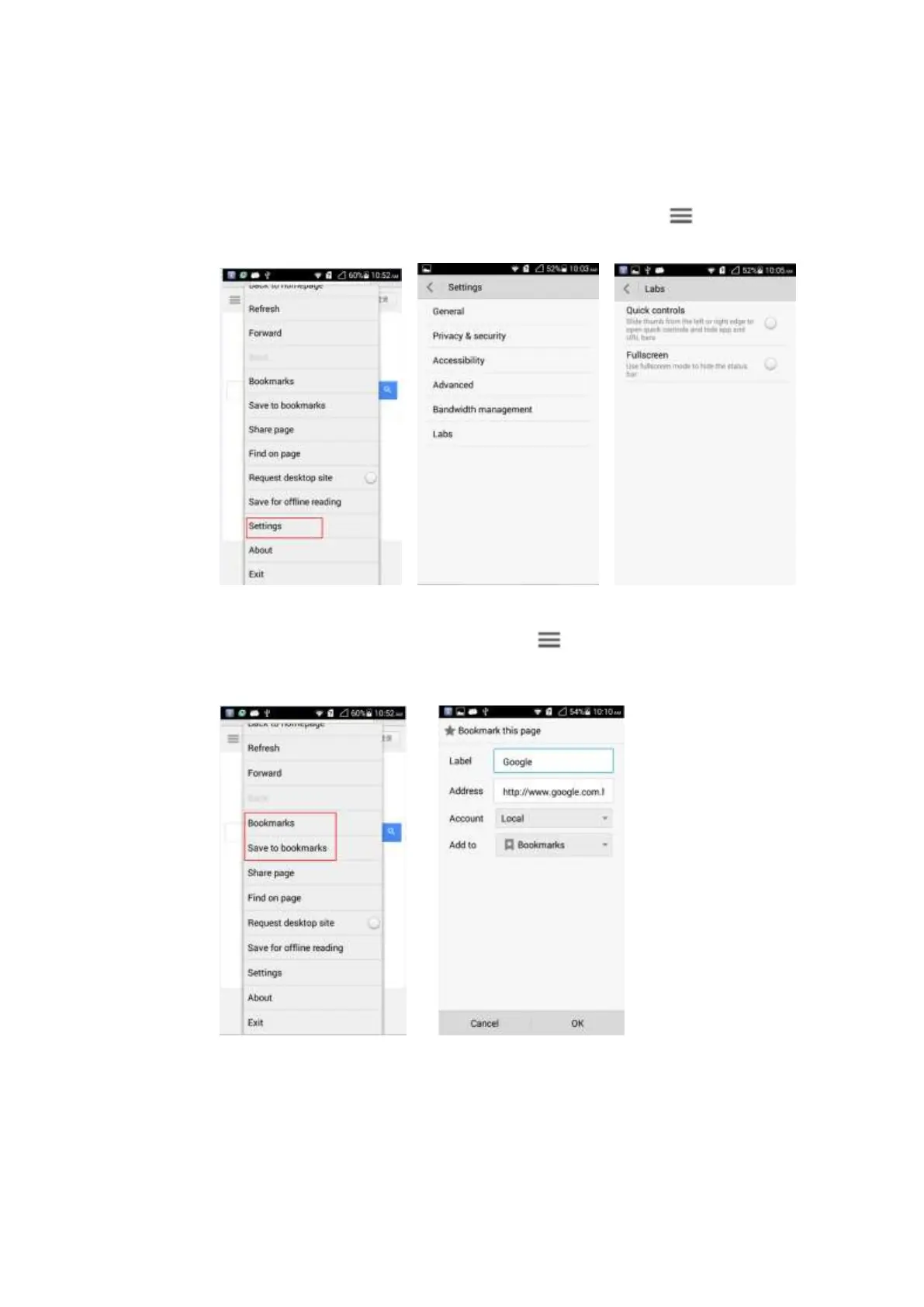
2.8.2 How do I set my phone to full-screen mode and how do I set
bookmarks
To set your phone to full-screen mode on the browser screen, touch > Settings >
Labs > Fullscreen.
To set bookmarks on the browser screen, touch > Bookmarks/Save to bookmarks.
You can delete a bookmark from the bookmark list or add the current browsing webpage to
the list.
2.8.3 How do I log in to my e-mail box with my phone?
Input the address of your e-mail box on the address bar of the browser to open the login page.



 To Next Page