HUAWEI G6-U10 Smartphone FAQs
Recovering contacts from the SD card
3. Touch File Manager and SD card.
4. Select the backup VCF file and touch OK. Contacts on your phone are automatically
recovered from the SD card.
1.7 Text Messages
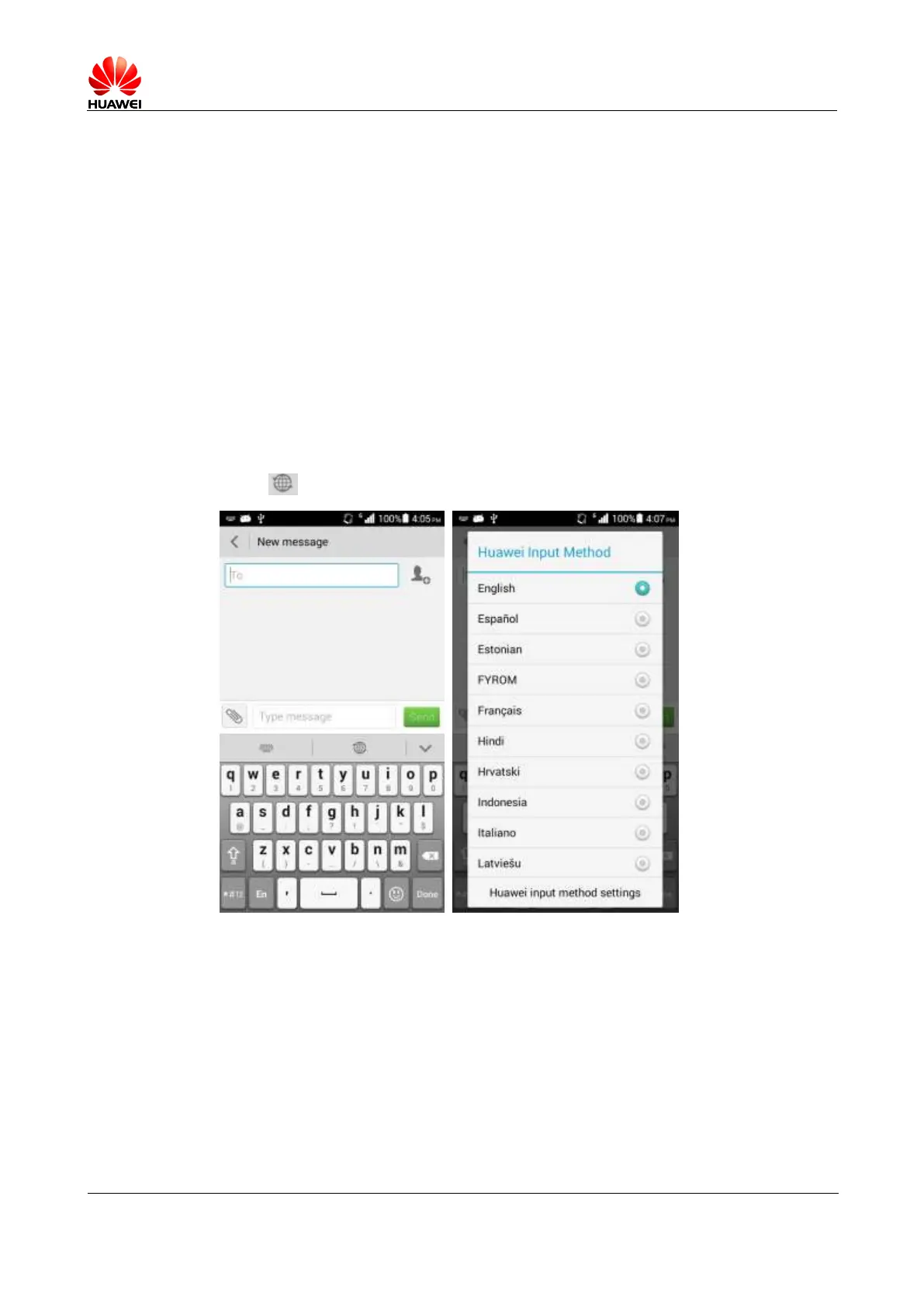
1.7.1 How do I change the input method when composing a text
message?
On the New message screen, touch the text box. A soft keypad is displayed, with the Huawei
input method by default.
Touch and select a desired language.
1.7.2 How do I delete or lock a message within a conversation?
Open a conversation thread with a contact, touch and hold a message, and choose
Delete/Lock.
1.7.3 How do I forward a message or send a mass message?
Forwarding messages:
Open a conversation thread with a contact, touch and hold a message you want to forward and
choose Forward.



 To Next Page