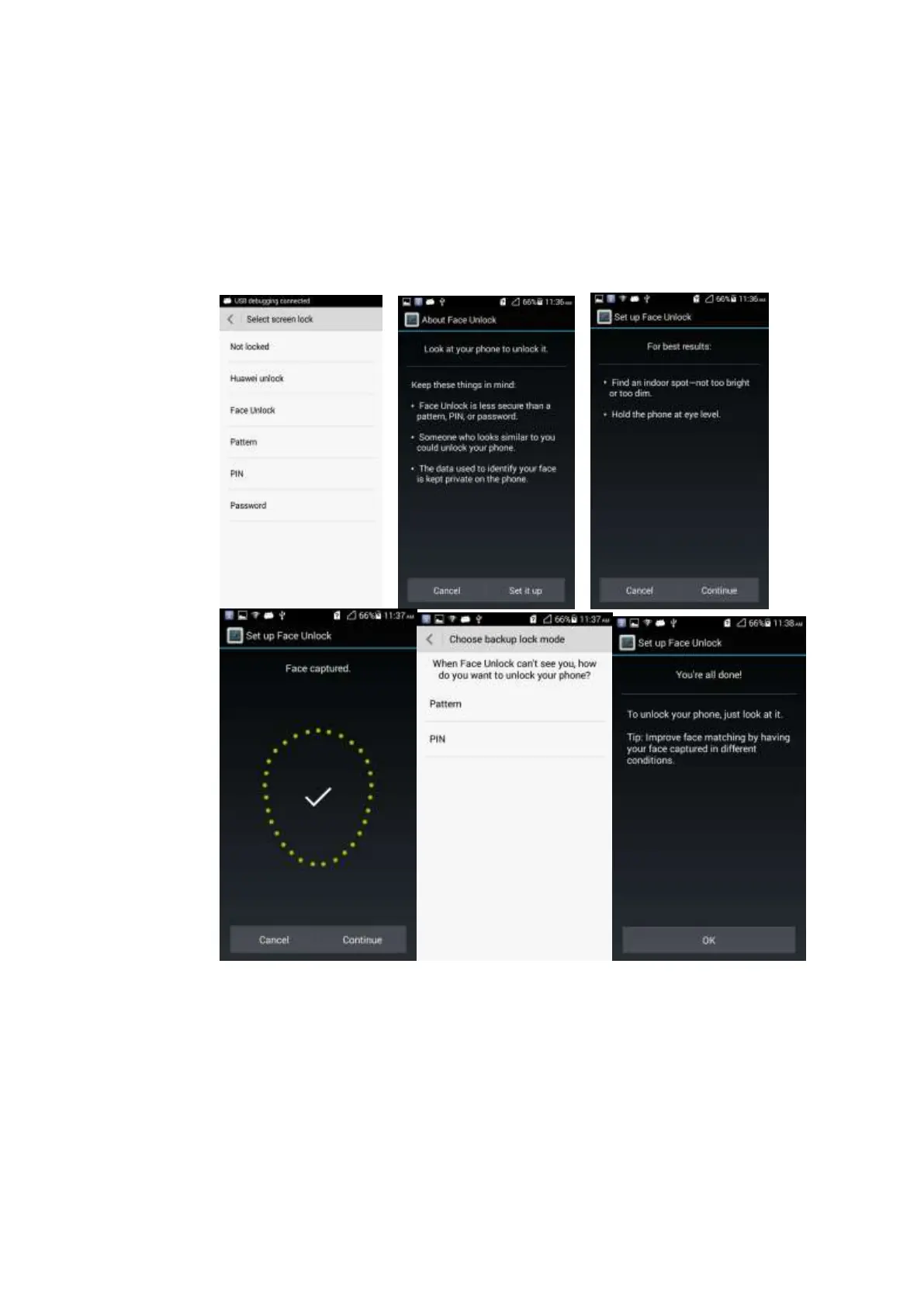
2.9.2 How do I use the Face Unlock function?
1. Touch Settings > Security > Select screen lock > Face Unlock.
2. Touch Set it up > Continue and wait until the face capture is complete. Touch
Continue.
3. Choose a backup lock mode according to the indications of your phone. Touch OK to
complete the setting.
2.9.3 How do I enable a screen lock that must be unlocked using a
pattern?
1. Touch Settings > Security > Select screen lock > Pattern.
2. On the Choose your pattern screen, swipe your finger across the screen to connect four
or more dots together in a pattern and touch Continue.
3. Draw the pattern again and touch Confirm.



 To Next Page