Get Started 8
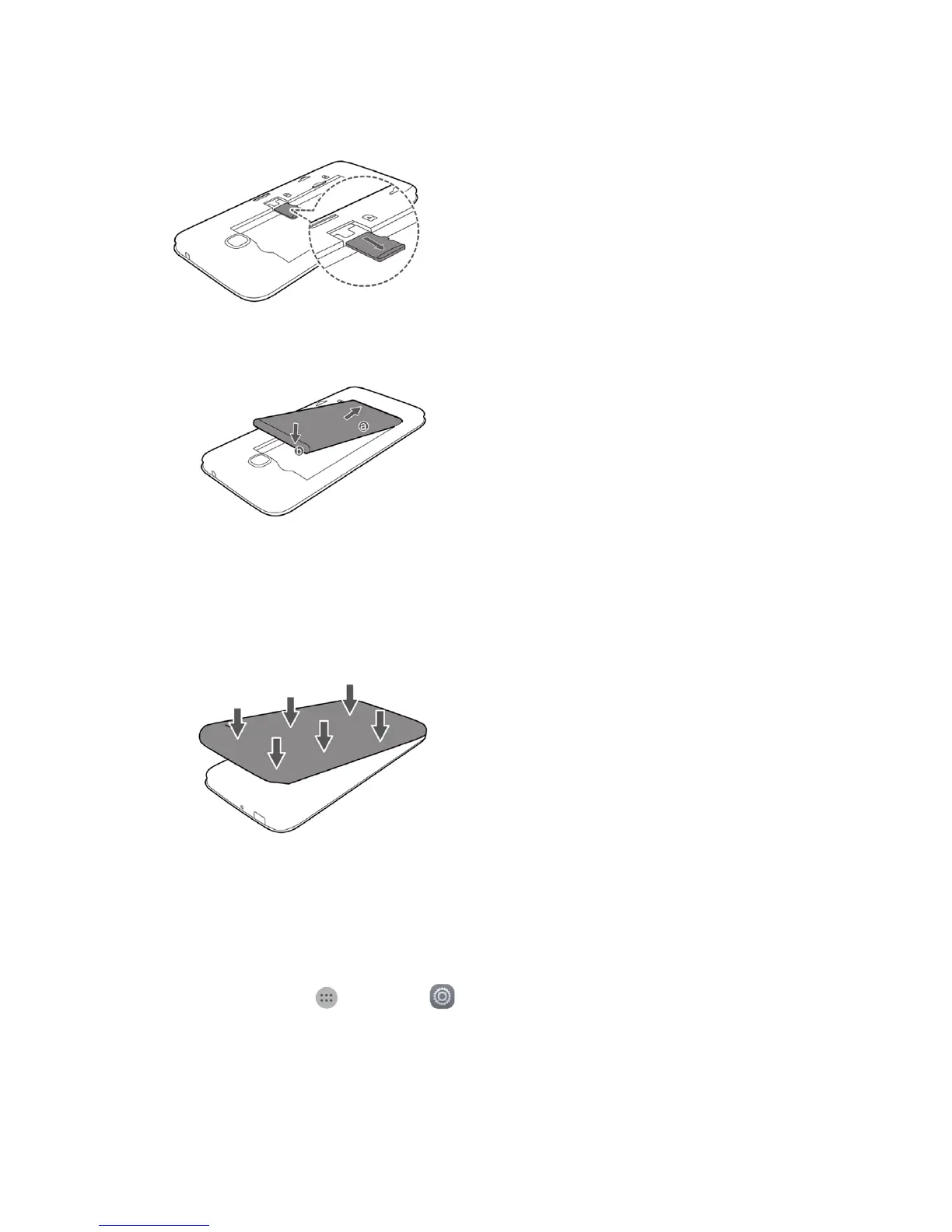
3. RemovetheSDcard.
4. Insertthebattery.
l Angletheedgelabeleda(withthecontacts)intothebottomendofthebattery
compartment.
l Pushtheedgelabeledbintothecompartmentuntilthebatteryclicksfirmlyintoplace.
5. Attachthebatterycover.
l Makesureallthetabsaresecureandtherearenogapsaroundthecover.
Format SD Card
WhenyouinsertanoptionalSDcardforthefirsttime,itisrecommendedthatyouformatitonyour
phone.
1.
Fromhome,tapApps >Settings .
2. TapStorage>My SD card>Erase SD card.
3. TapErase SD cardagain.
4. TapErase everythingtoconfirm.



 To Next Page