Get Started 12
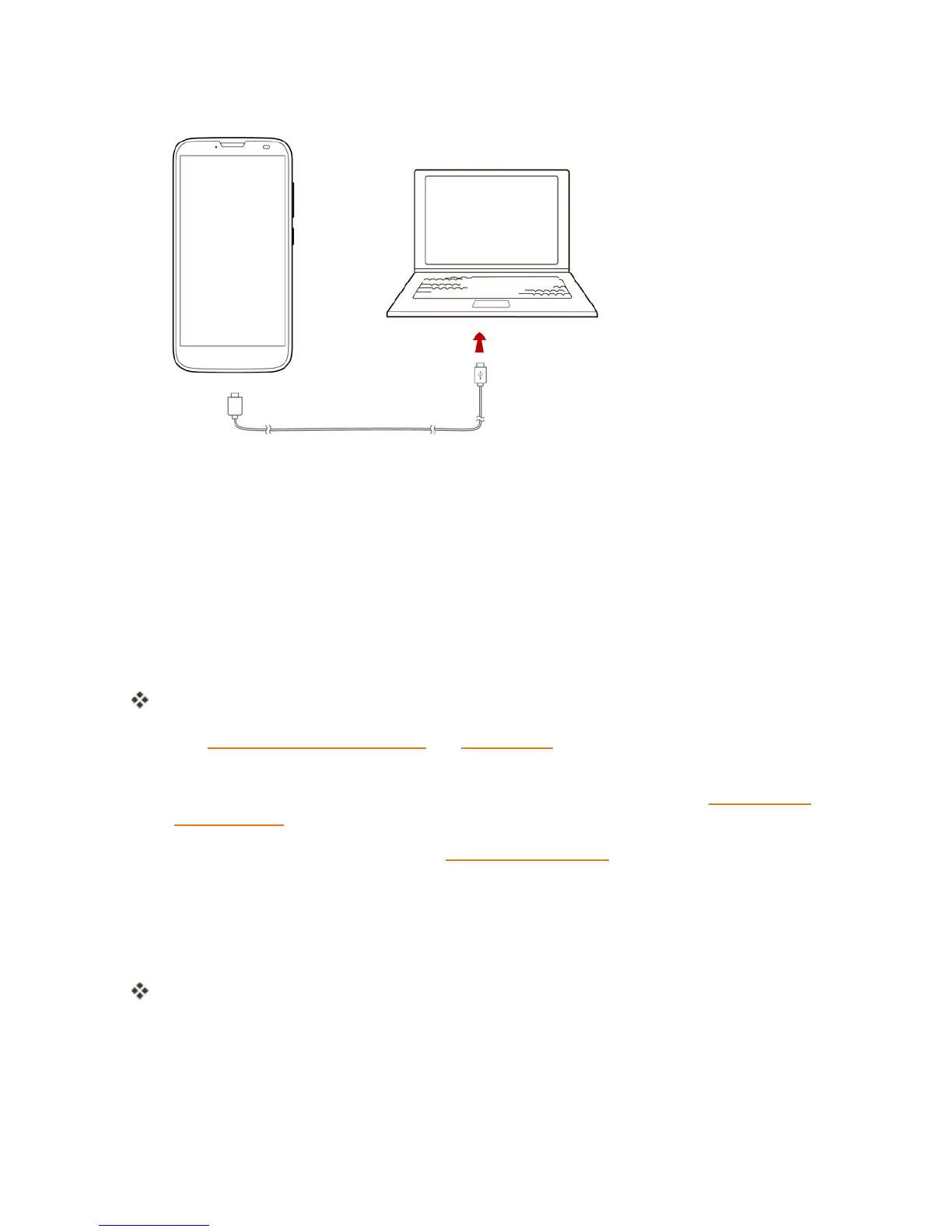
2. InsertthelargeendoftheUSBcordintoanexternalUSBportonyourcomputer.
3. Aftercharging,removetheUSBcablefromboththephoneandthecomputer.
Turn Your Phone On and Off
Theinstructionsbelowexplainhowtoturnyourphoneonandoff.
Turn Your Phone On
n PressandholdthePower/Lockbutton.
Yourphonewillpoweron.Dependingonthesettings,youmayseethelockscreen.
l SeeLockandUnlockYourScreenandScreenLockforinformationaboutusingthescreen
lock.
l Thefirsttimeyouturnthephoneon,youwillseethestartupscreens.SeeCompletethe
SetupScreensfordetails.
l Ifyourphoneisnotyetactivated,seeActivationandServiceformoreinformation.
Turn Your Phone Off
1. PressandholdthePower/Lockbuttontoopenthephoneoptionsmenu.
2. TapPower offtoturnthephoneoff.
Yourphonewillpoweroff.
Yourscreenremainsblankwhileyourphoneisoff(unlessthebatteryischarging).



 To Next Page