Phone App 40
Theringtoneorvibrationwillstopandyouwillseealistofpresettextmessages.
2. Taponeofthemessagestosendittothecaller.
Theselectedmessagewillbedeliveredtothecaller.
l YoucanedittherejectmessagesthroughtheCallsettingsmenu.Fromthephoneapp,tap
Menu >Call settings>Reject calls with SMSandedittherejectmessages.
In-Call Screen Layout and Operations
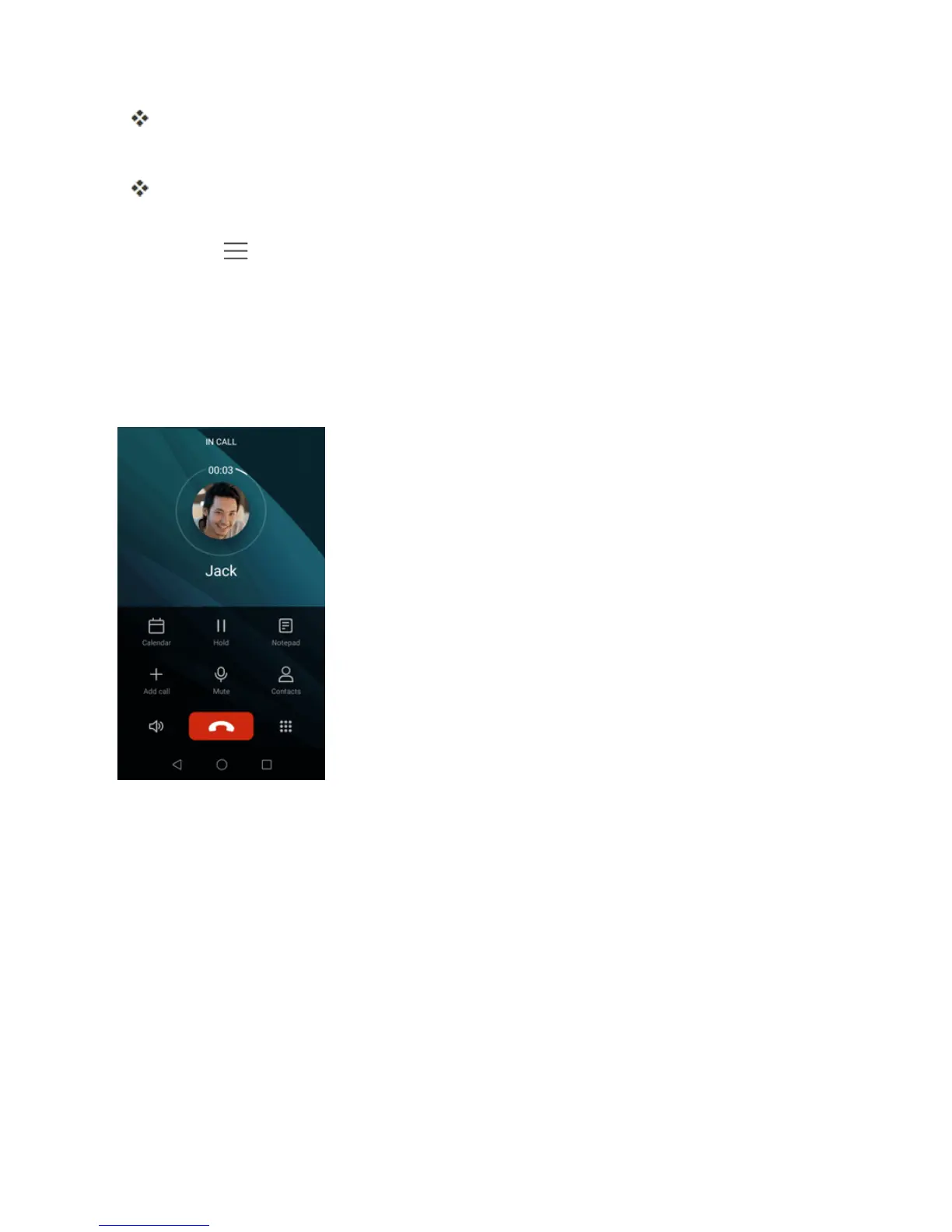
Whileyou’reonacall,youwillseeanumberofonscreenoptions.
In-Call Screen Layout
Tapoptionstoactivatethemduringacall.
n Calendar:ViewtheCalendar.
n Hold:Placethecurrentcallonhold.
n Notepad:Viewyournotes.
n Add call:Startathree-waycall.
n Merge calls:Jointwocurrentlyactivecalls(conference).
n Mute:Mutethecallsothattheotherpartycan'thearyou.
n Contacts:Displayyourcontacts.



 To Next Page