14
rADIOCONTrOL
DrONE FUNCTIONS
Press and hold the FN button, rotate the gimbal ad-
justment wheel to adjust the brightness of the re-
mote control display.
The remote control buzzer beeps when the battery
is low or RTH is activated. Press the FN button for
1.5 seconds and the beeping will stop. Long press
the FN button to reset the beep.
Custom keys, set the function on the APP and save
it when the APP is not connected, (short press) the
FN button does not operate.
Function one: Exit the current flight mode. the APP
is working for the various functions. Short press FN
to exit the current mode and the Drone frees itself.
Function two: Short press FN to perform gimbal re-
turn.
Function three: No function to set.
Button
Programmable
10
Charging the remote control and connecting to a
smartphone or tablet device.
Charging port
and USB adapter
11
If the remote control is idle for 10 minutes after stand-
by, the remote control will make a "Beep... Beep..."
(once every three seconds) After 3 minutes of warn-
ing, the remote control will automatically turn off.
Stand-by
Protection
13
Low battery warning for the Drone or the remote
control: Emission of "Beep ... Beep ..." acoustic sig-
nals from the Remote Control (once per second).
I notify
Low battery
12
2.3
2.3
Chaging the adio contol battey
Chaging the adio contol battey
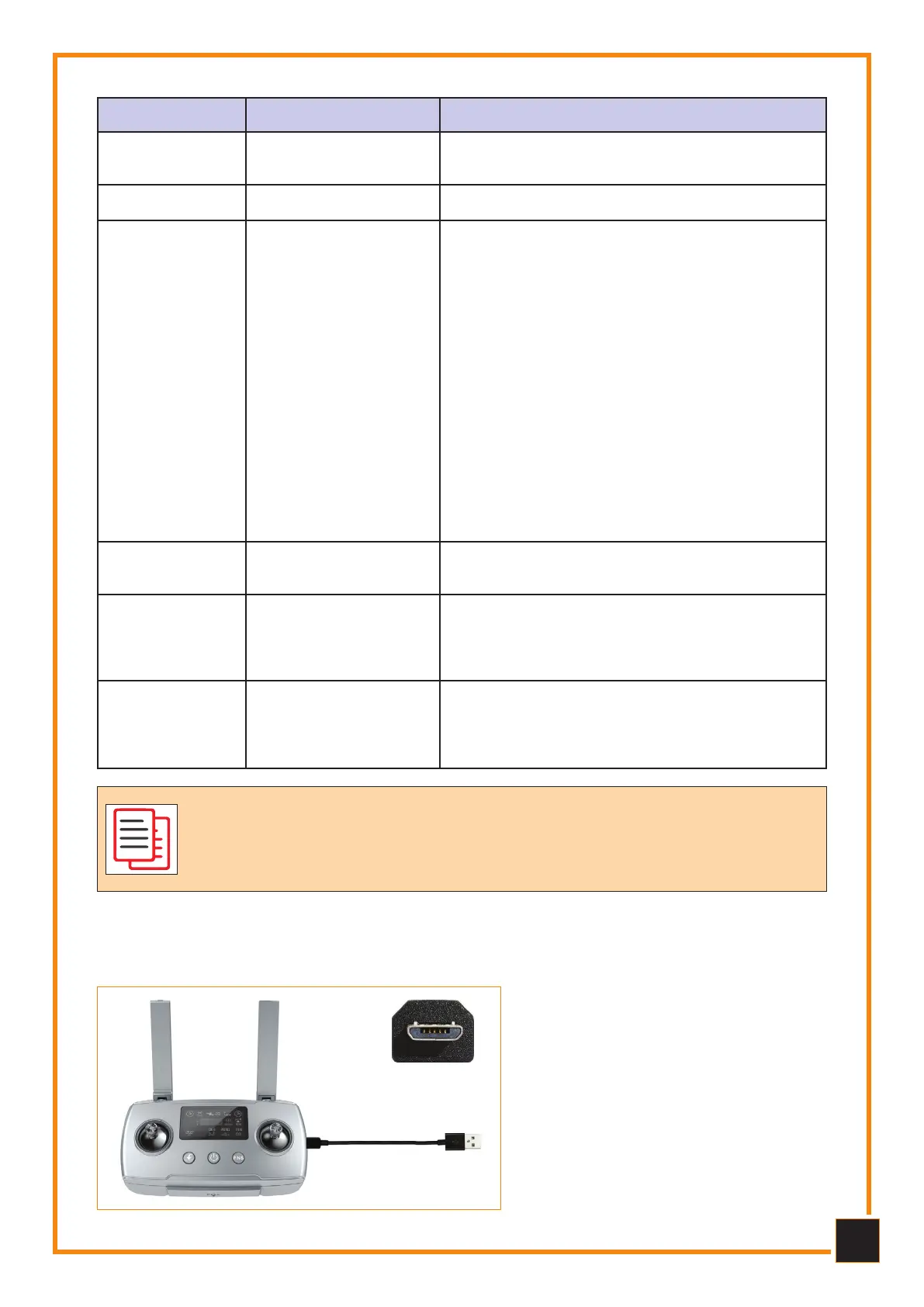
The remote is charged using the Micro USB cable as shown:
, he charging time of the radio con-
trol is approximately 2.5 hours.
, The control battery charge indica-
tor light flashes while charging.
, When charging is complete, the
control indicator will be solid.
, Use on full charge approximately
1.5 hours.
The emote contol sticks ae self-centeing thanks to a sping
system: the sticks will cente themselves automatically when they
ae eleased. The sensitivity of the sticks depends on the foce
that is applied to push o pull them fom the cente point.
Long press to start recording, short press to end
recording.
Video8
Check the angle of the gimbal joint.Gimbal adjustment9
Micro USB



 To Next Page