27
5.5
5.5
Line Fly Mode
Line Fly Mode
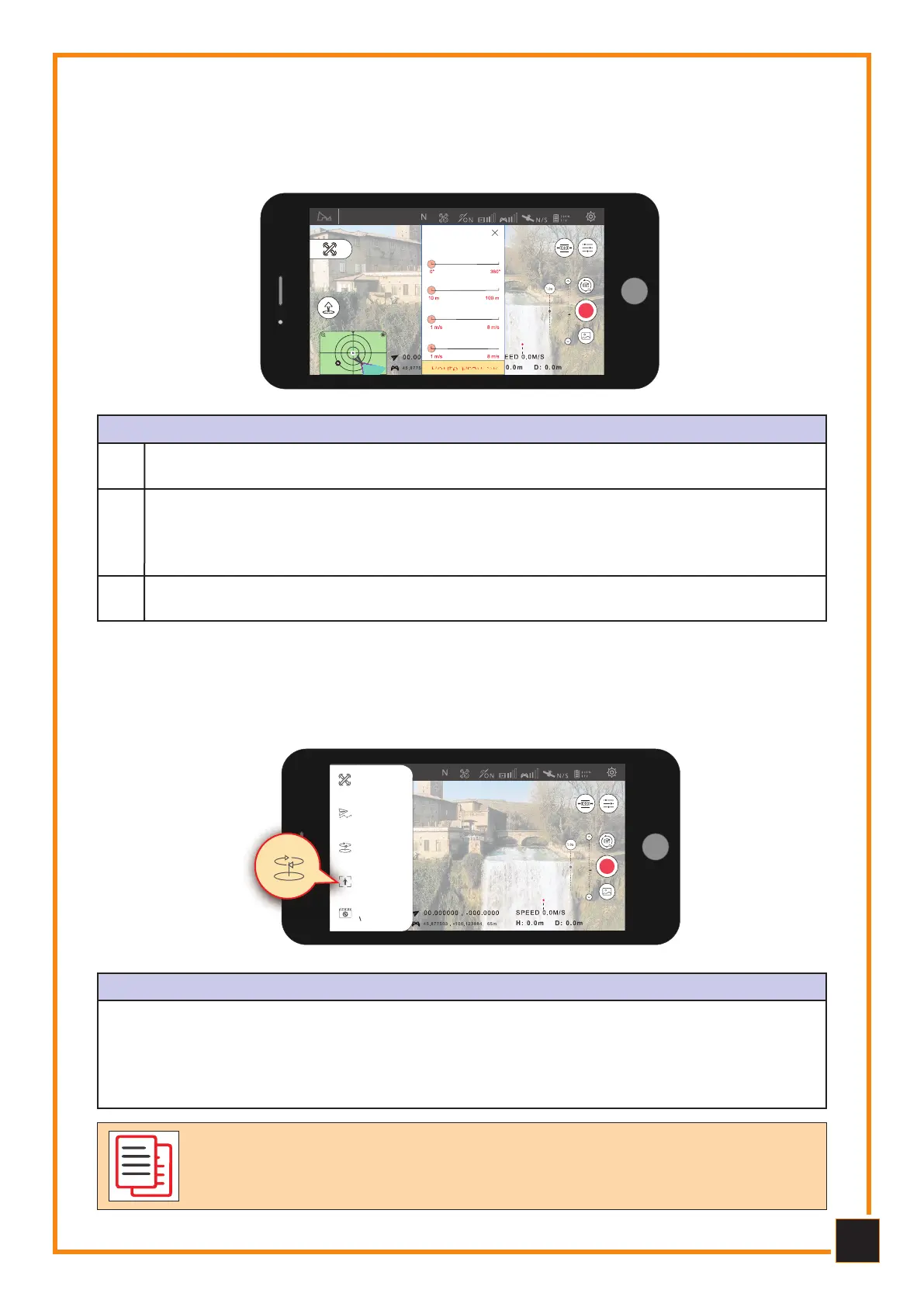
Click on “Mode Selection”, then on “Line Fly Mode” to set the angle, distance and speed
of the Drone.
Orbit mode
Line Fly Mode
Angle: 0°
Distance: 10m
Relative altitude: 1.0m/s
Speed: 1.0 m/s
Route Preview
SETTINGS AND CONFIGUrATIONS
Set the angle (0 - 360°, precision +/- 1°); Set the distance (10 - 6000 meters, accu-
racy +/- 1 m); Set the speed (1 - 8 m/s, accuracy +/- 0.1 m/s).
1
Once the configuration is finished, the Drone will perform Line Fly mode. During the
flight pilots can take photos or videos manually, also you can pause, resume or stop
the flight at any time. During the flight, the altitude (altitude) can be changed but
the directions cannot be changed.
2
If the Drone's battery runs out or the connection is lost, the aircraft will always set
RTH (Return Home) as its priority.
3
5.6 Flight Follow Me Mode
5.6 Flight Follow Me Mode
Enter "Follow" mode to choose tracking of a subject or the GPS of the remote control.
IMAGE TrACKING
Open Follow on the App. Select the subject to follow from track mode, click on “GO” the
Drone will follow the subject's movements. The altitude and distance detection range is 5
- 15 meters. This function cannot be performed if the distance between the drone and the
subject is less than 5 meters. In follow me mode the Drone will follow the control device
(Radio Control) when it is connected to the GPS.
Orbit mode
Normal
Mode
Waypoint
Mode
Orbit
Mode
Follow me
Mode
Creative
Video
Advanced features can be used after the Drone has passed the GPS ac-
curacy test. If the Drone has little autonomy or loses connection, it will
give priority to RTH (Return to Home).



 To Next Page