23
4.4
4.4
Landing pad seach
Landing pad seach
When the Drone is returning and at a height of approximately 10 meters from the ground,
it will automatically search for the Landing Pad to perform the landing. The Gimbal does
not take into account the take-off phase but only the landing phase.
Connected
LANDING PHASES
The Drone will first pan towards the top of the landing pad for recognition, after
which, once recognized, it will land softly. When you land from a height of less than
3 meters, the Drone's camera will resume horizontal view and will no longer be able
to adjust the position and will therefore land directly. If errors or other unexpected
circumstances occur, press the landing stop button
1
If the Drone does not find the landing pad within a radius of 5 meters or the battery
is flat, it will land directly.
2
Landing pad mat search cannot be done in video mode.3
If the landing pa is not needed, turn off this feature.4
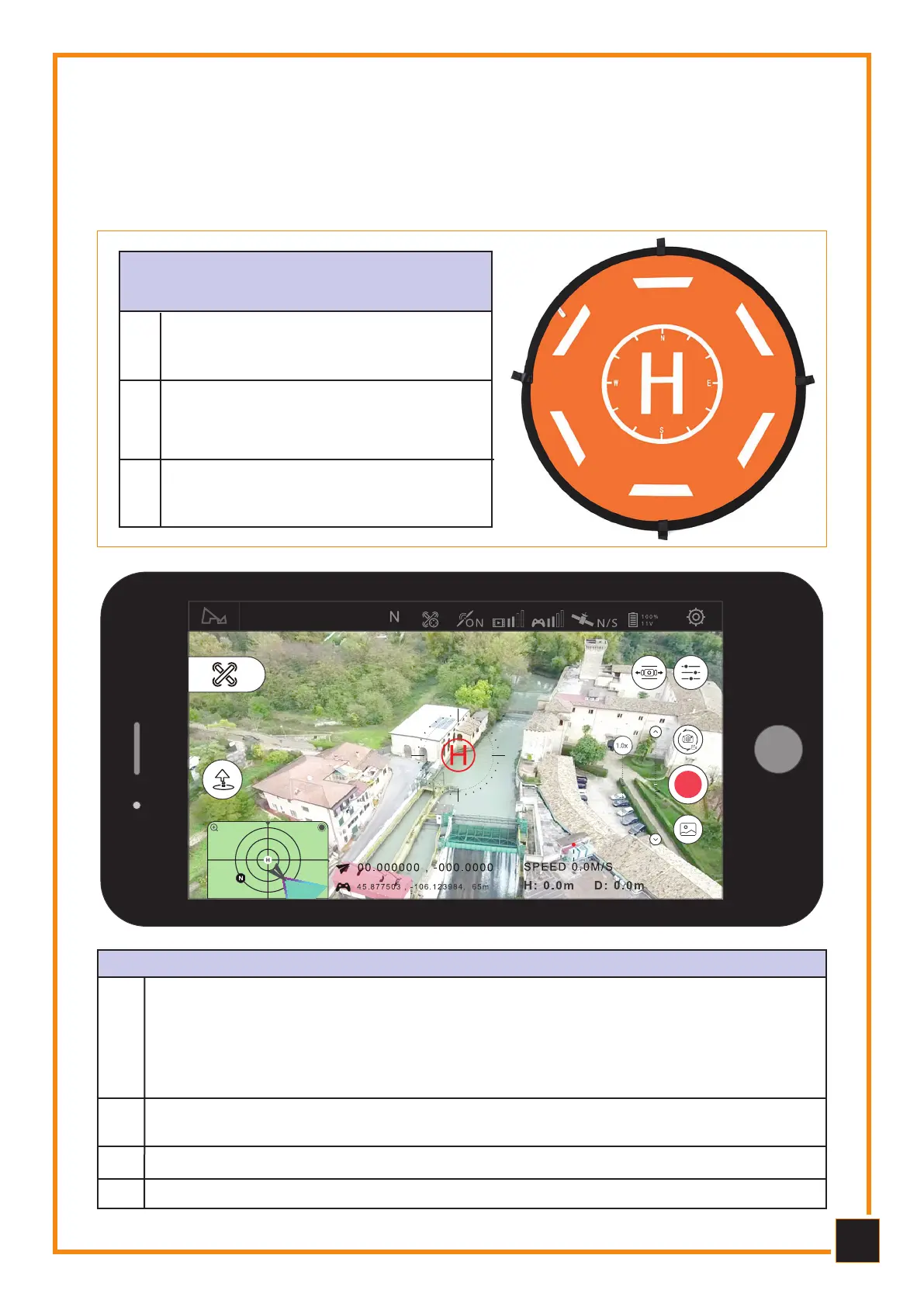
rEQUIrEMENTS OF
LANDING PAD
1
Sharp contrast between the bottom
and the writing on the Landing pad.
The letter “H” character on the
landing pad should be printed in
white.
The landing pad must be free of ob-
stacles and possibly flat.
2
3



 To Next Page