26
5.3
5.3
Obit Mode Flight
Obit Mode Flight
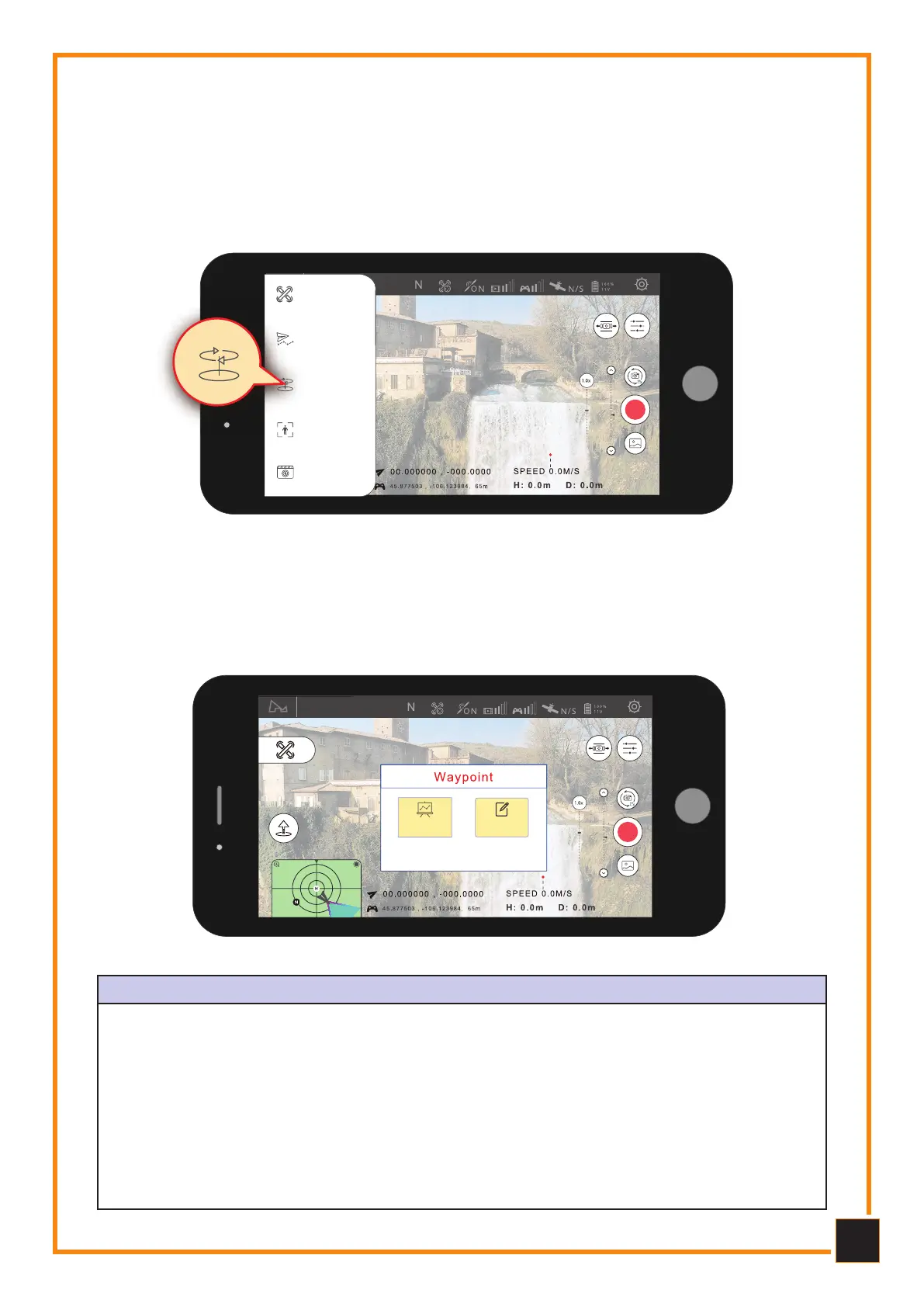
Click “Mode Selection”, then “Change Orbit” to set the current position or the center po-
sition of the mobile device. During Orbit mode you can adjust the speed and direction of
the Drone by moving the control stick left or right and adjust the radius of the Orbit by
moving the control stick forward or backward.
Orbit mode
Normal
Mode
Waypoint
Mode
Orbit
Mode
Follow me
Mode
Creative
Video
5.4
5.4
Flight Waypoint Mode
Flight Waypoint Mode
The Drone will fly along a flight route created on the screen or a previously stored route.
You can adjust the speed of the Drone during flight.
Waypoint Mode
Flight point
planning
Flight point
memory
Click on one of the buttons to
access the operations menu
WAYPOINT PLANNING and STOrAGE
It is possible to preset the Waypoint parameters such as: the number of them, the altitude
of each of them and other parameters. The Drone will follow the preset parameters after
activating Waypoint mode. You can also control the speed of the Drone during flight or you
can pause it or resume Waypoint mode.
After accessing Waypoint mode, take off the Drone and click on the "Save Waypoint" button
on the App, the Drone will perform the learning of the positions. Once all Waypoints have
been stored, they will be loaded and executed. The Drone will fly based on the stored data.
If the Drone, when starting the Waypoint, is not in the starting position of the first Waypoint,
it will move to the first starting point before starting this function.



 To Next Page