26 Excelon XD/XQ Operator’s Manual
5.2.3 Frame Information
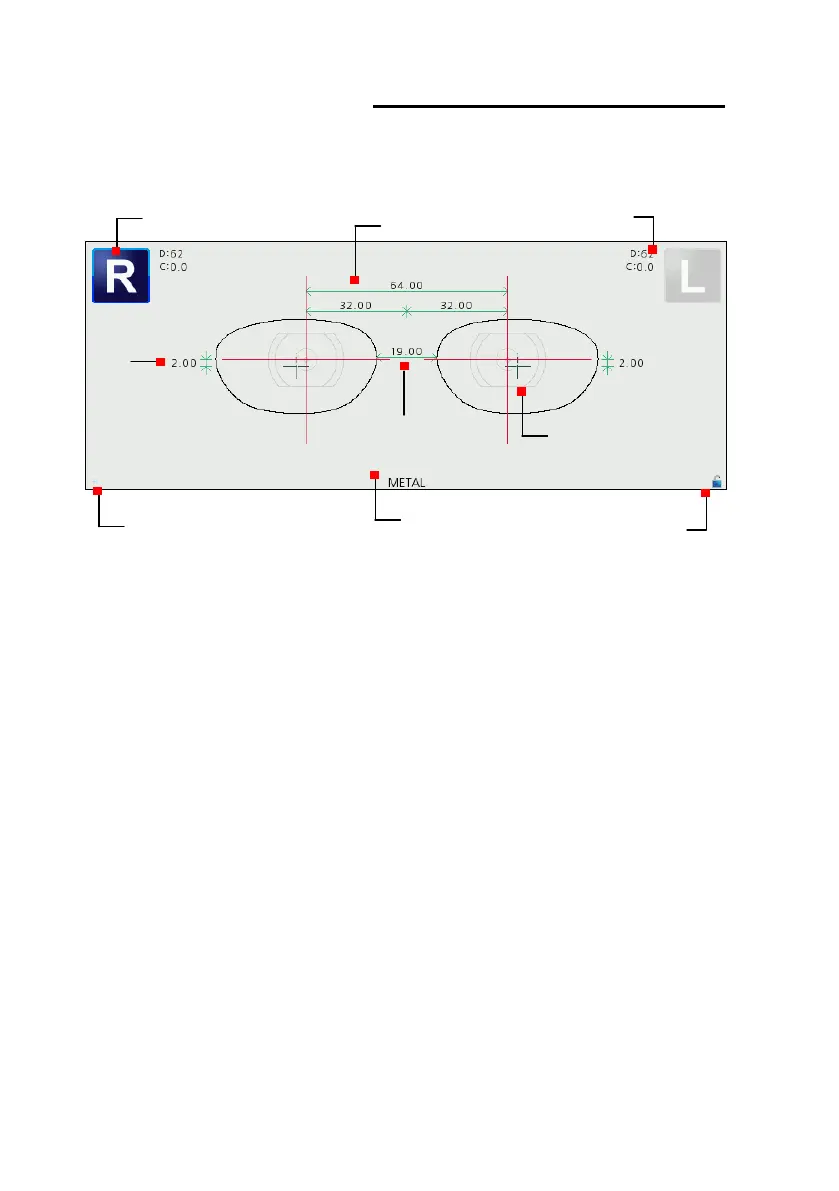
If a job selected, frame shape is displayed on the screen in actual measurement with
the frame information.
The black cross mark is boxing center and the red cross mark is optical center.
Optical center position is determined by PD and OH values entered by user.
Lens adaptor image means blocking position and displayed at either boxing center
or optical center according to the blocking mode.
PD/OH/Bridge Size values can be changed by pressing its value area. (Numerical
keypad displayed on the screen)
Min lens diameter, Frame curve and frame type cannot be modified.
Binocular PD and monocular PD are displayed together and if one value changed
the other value calculated automatically.
OH value shows one of following value according to OH type option. (Delta Y, Box
Height, Mix Height)
Min lens diameter
Frame curve



 To Next Page