Excelon XD/XQ Operator’s Manual 47
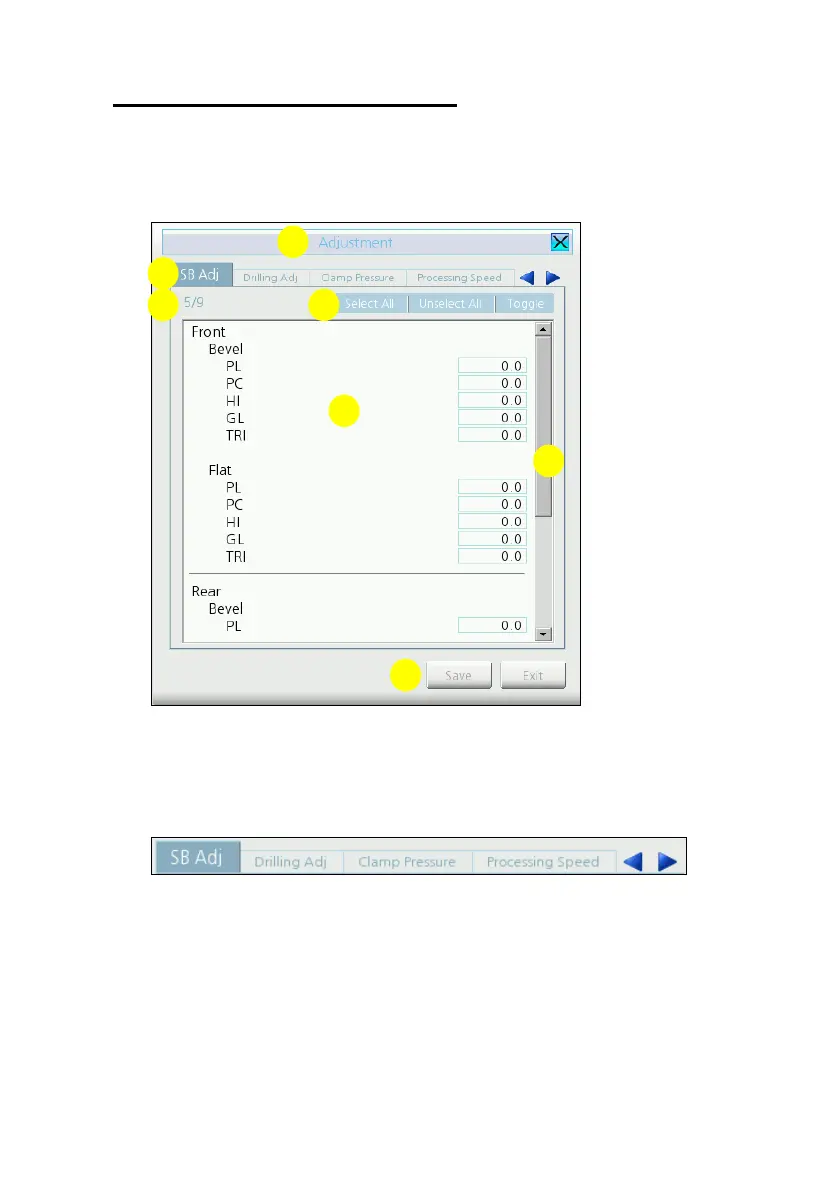
5.2.9 Menu Dialog Box
All configurations can be set using the Menu Dialog Box.
(1) Menu title
(2) Sub-menu tab
Up to 4 sub-menu entries are displayed in the Sub-menu tab. To select menu
just press the tab. Left/Right arrow buttons are used for navigating sub-menus
when sub-menu count is more than 4.
(3) Current sub-menu number (current / total)



 To Next Page