46 Excelon XD/XQ Operator’s Manual
5.2.8 Menu Bar
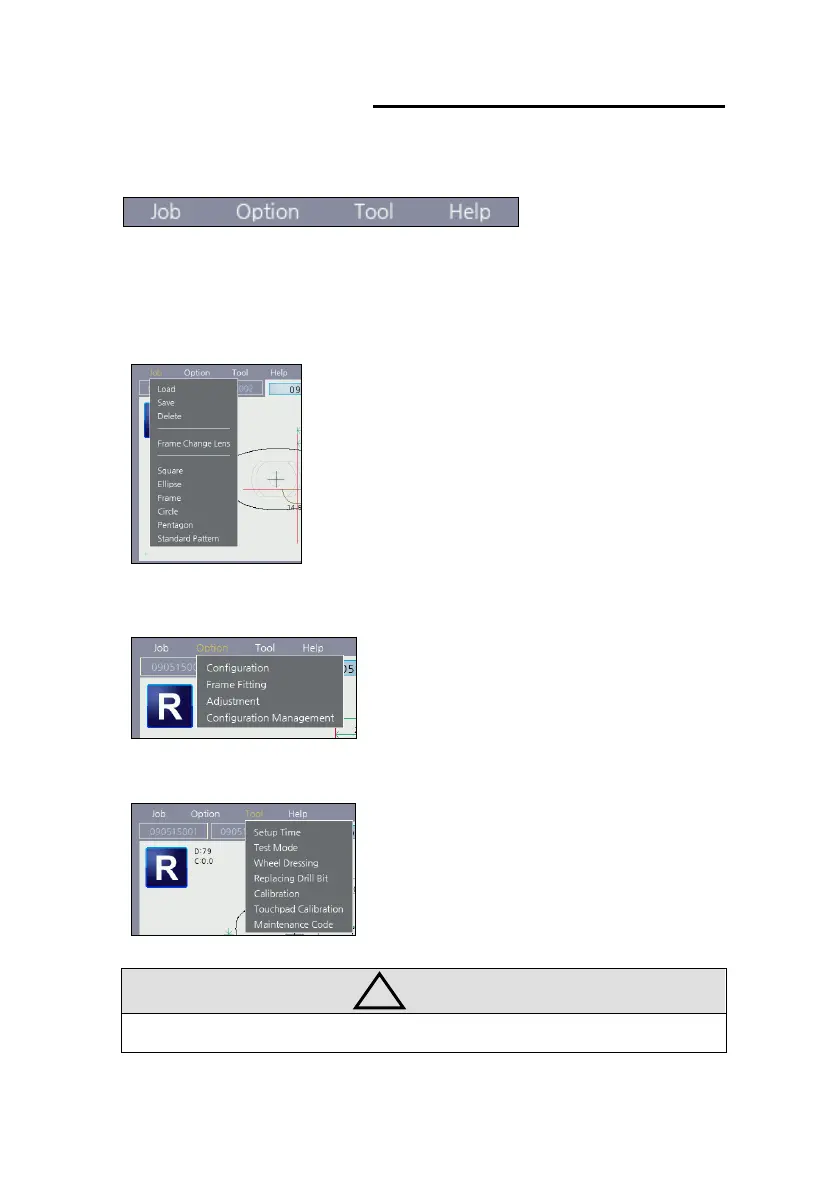
All additional functions are provided in the menu bar for user convenience.
Menu bar always displayed on the top of the screen.
(1) Job (Job related functions)
Job load, Job save, Job delete, internal
data, etc.
(2) Option (User Configuration Options)
Configuration, Frame Fitting,
Adjustment, Configuration Management.
(3) Tool (Maintenance tools)
Setup Time, Test Mode, Wheel Dressing,
Replacing Drill bit(XD), etc.
• Details of the menu bar function provided in separate chapter.



 To Next Page