• According to the Edging Options, Beveling and Grooving position can be
selected independently.
☞ Ratio (%) from the Front side of the lens
☞ Distance (㎜) from the Front side of the lens
☞ Distance (㎜) from the Rear side of the lens
☞ Adjust the position according to the Lens Base Curve and the
Minimum Thickness (0~10)
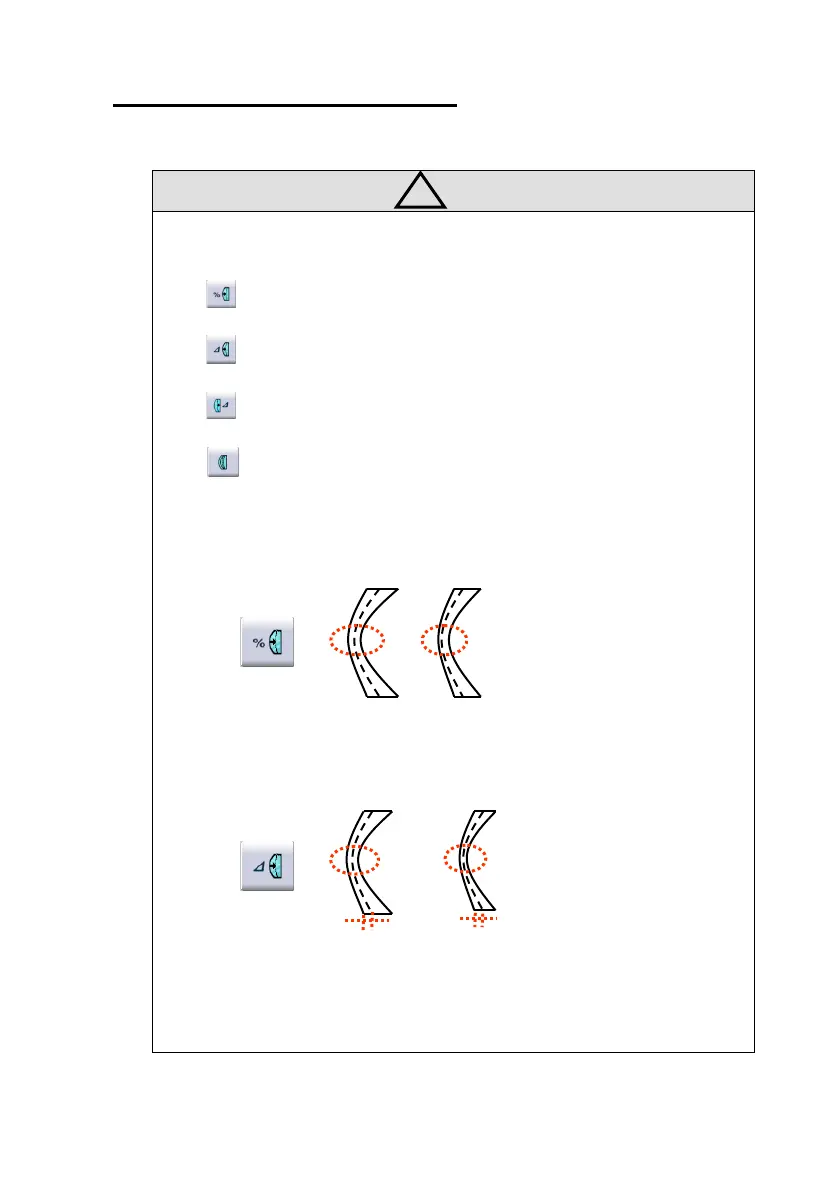
• The value of the edging options affects the final output as followings :
• Like the above picture, if the operator use ratio(%) mode from the Front side
about a so thin lens, the machining of the thinnest part could be dangerous.
• Using the distance(mm) mode from the front side, the operator can designate
the specific distance, However, if the thickness of the thin area is less than the
double of the designated value, the machine internally forces it to be machined



 To Next Page