7.4
RETURN
This function key will return to previous screen.
HISTOGRAM
This function key will access histogram screen.
<
When this function key is depressed once, the value of selected slider will increment by 2.5%.
<<
This function key will move the selected slider to the far left.
BLADE
MONITOR
PARAMETERS
This function key will access parameters screen.
>
When this function key is depressed once, the value of selected slider will decrement by 2.5%.
>>
This function key will move the selected slider to the far right.
Fig.3
MONITOR LIMIT SETTING FUNCTION KEY DESCRIPTION CHART
To return from the MONITOR LIMIT SETTING screen to the AUTO or MANUAL screens, press
RETURN (F1 function key, Fig. 1).
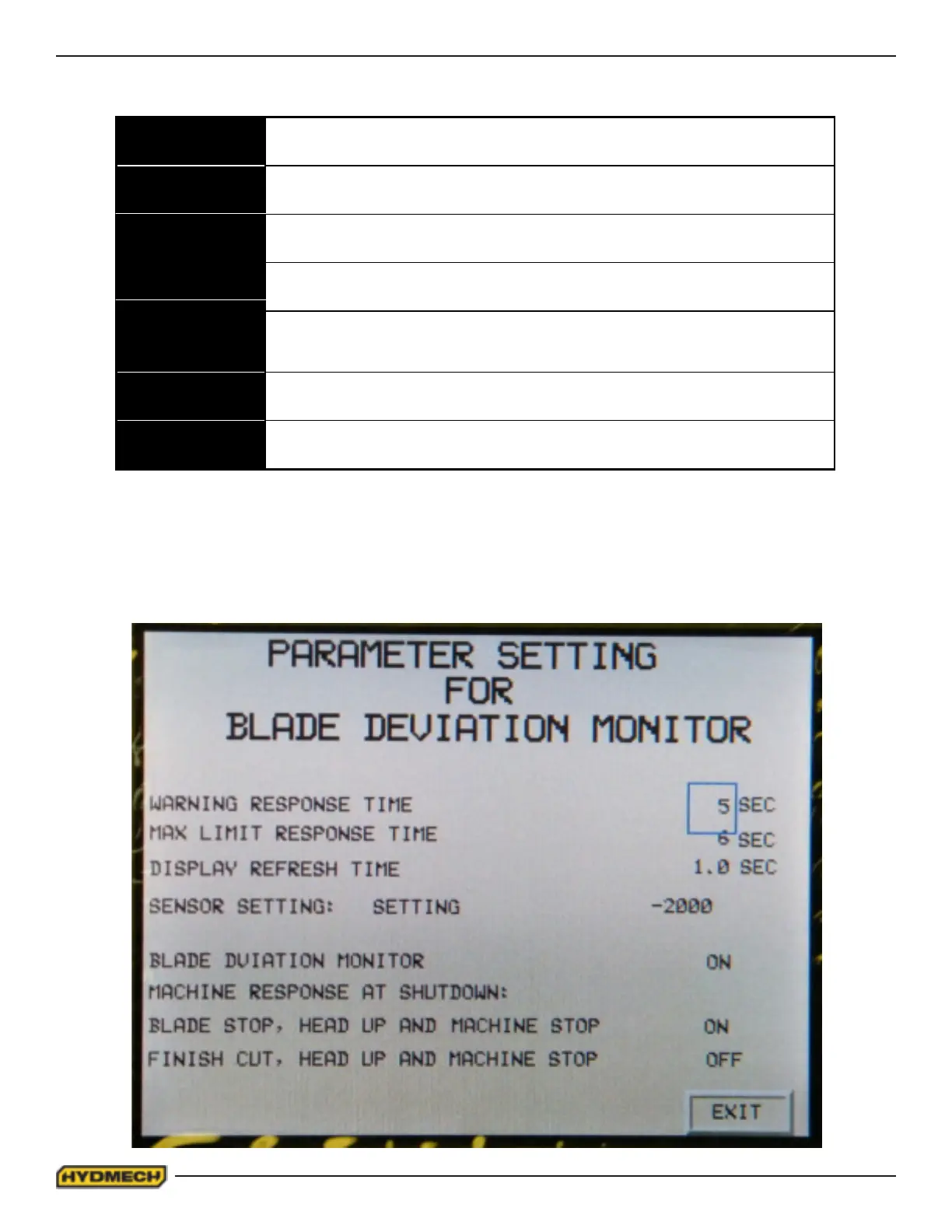
To access the PARAMETERS screen (Fig. 4), press BLADE MONITOR PARAMETERS (F5 function key).
Fig.4
PARAMETER SETTINGS SCREEN.


 To Next Page