118
4. System Setup
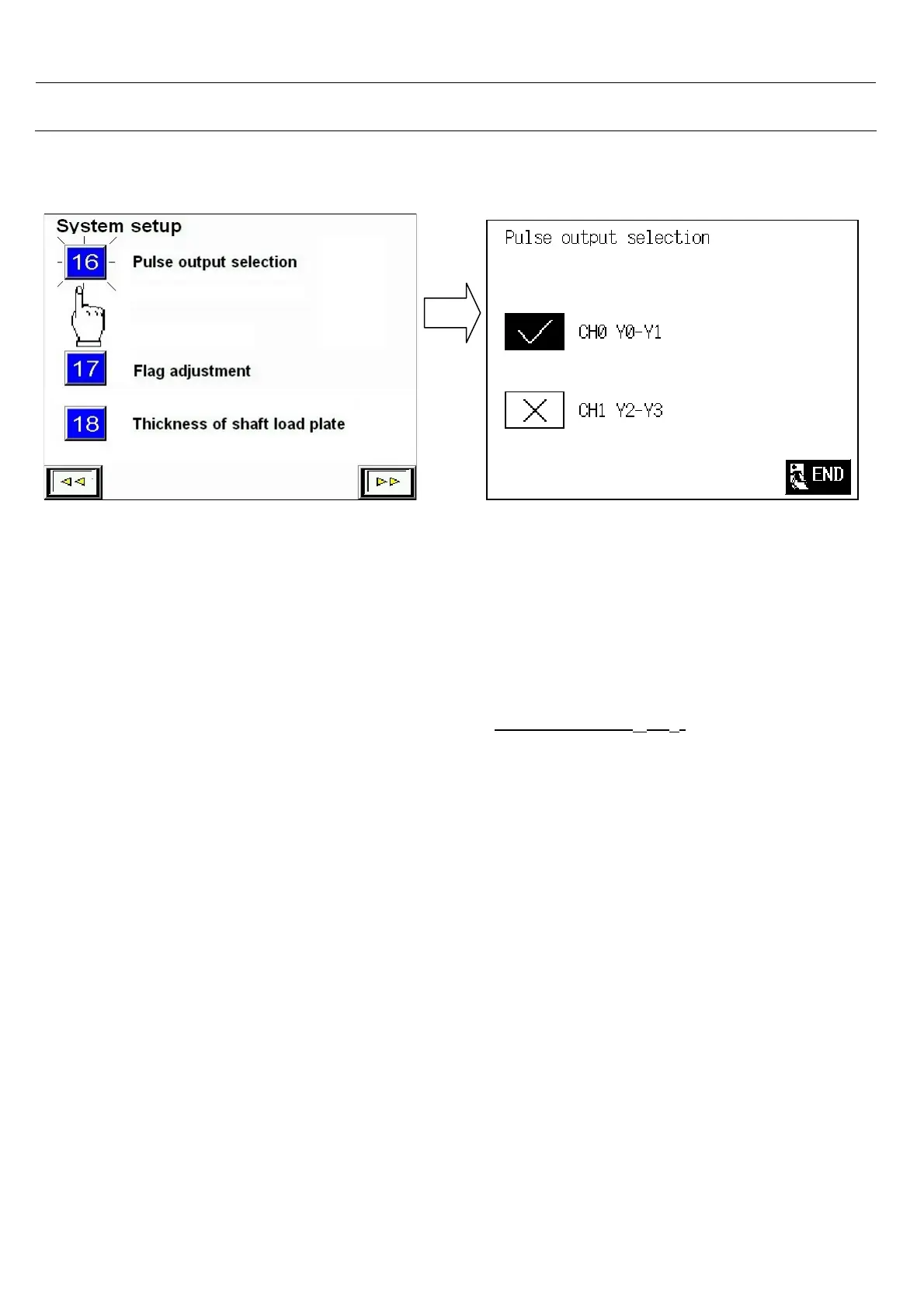
4.17 Pulse Output Selection
If there is a breakdown of the CH0 : Y0 , Y1 , please :
1. From PLC output terminal, remove Y0 to Y2 and Y1 to Y3
2. Under system setup item 14: Pulse output selection Select : CH1 ( Y
2
, Y
3
)
3. Then the ( Y
2
, Y
3
) can send pulse signal to servo driver and do the positioning control
- The PLC have 2 sets of Pulse output :
- (1) CH0 : Y0 , Y1
-
(2) CH1 : Y2 , Y3
Select system setup item 16 <Pulse output
selection>



 To Next Page