29
3. User Setup
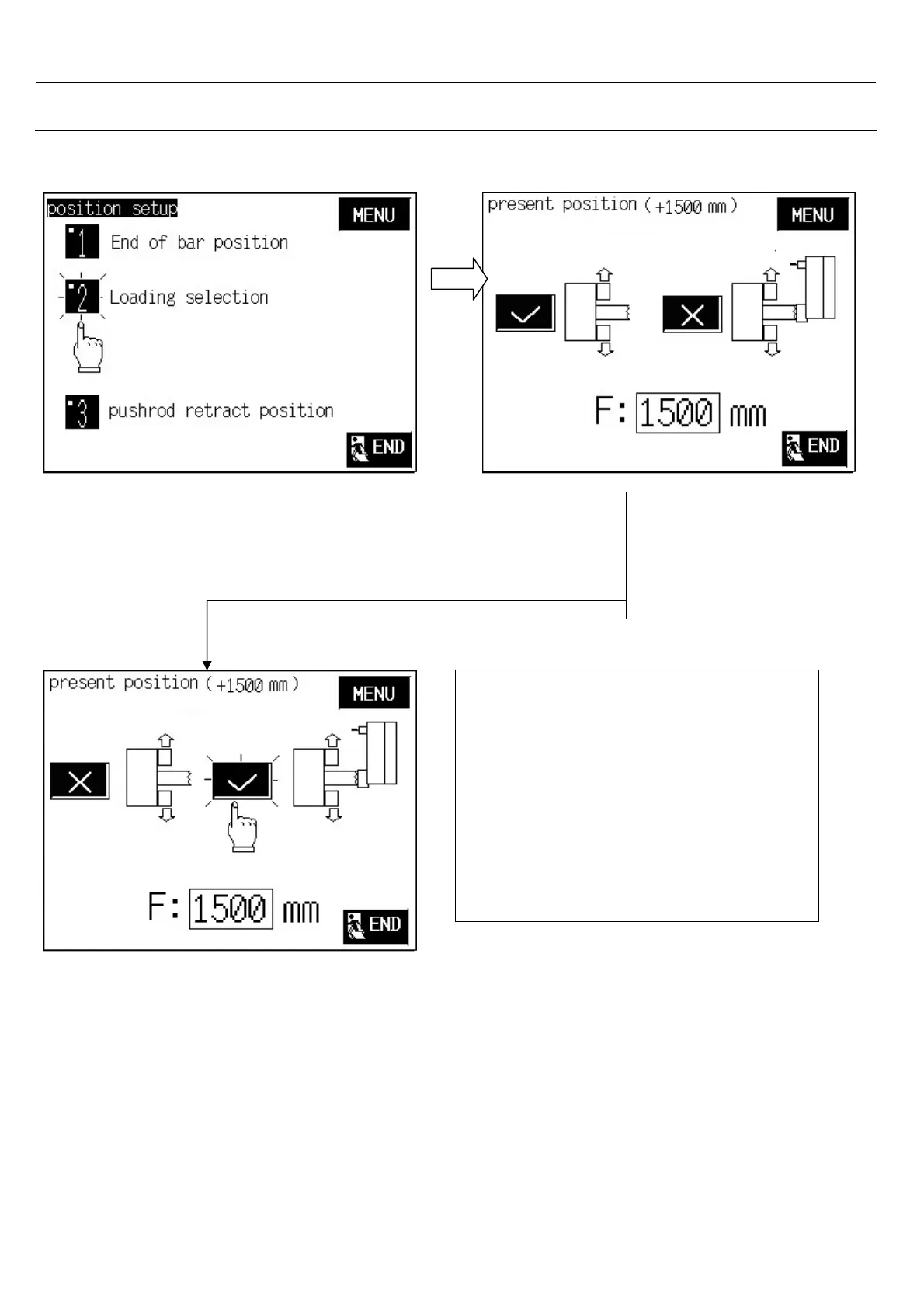
3.4.2 Loading selection
Select 2.< loading selection>
1. Set loading with turret or without
turret.
2. set loading position.
You can choose loading with turret or
without turret.
Note:
1. Loading a profile bar must loading
with turret
2. If S + C Value is greater than the F
Value, you can only select loading
without turret.



 To Next Page