64
3. User Setup
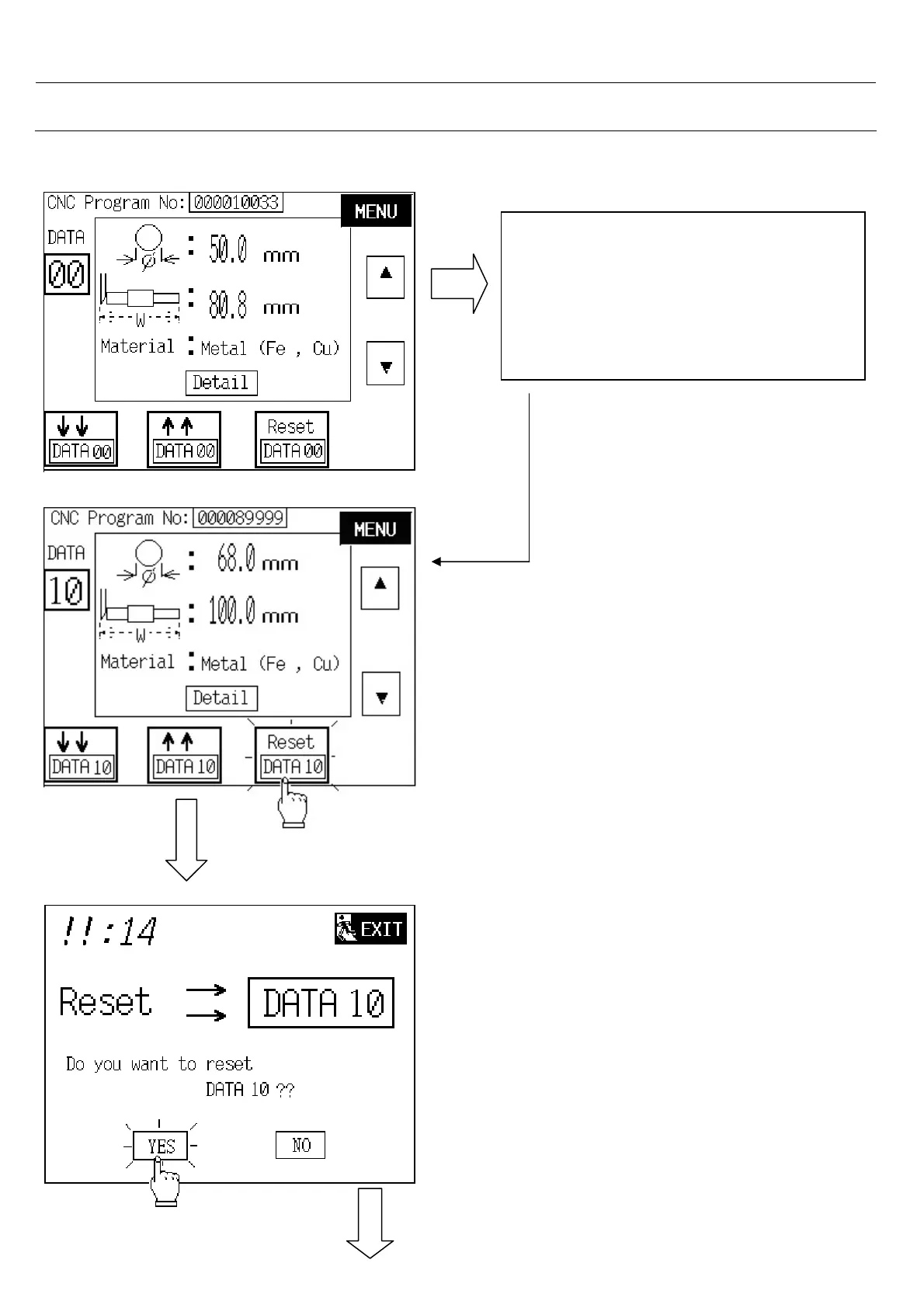
3.10.4. To Reset DATA 10
1. Touch “ up “ or “ down “ button to
DATA 10 .
or
2. Touch on DATA : numeric to insert 10
- Touch on “ Reset “ button.
- Touch on YES button to reset.
NOTE : if touch on NO or NEXT button will
jump back to last screen.



 To Next Page