72
3. User Setup
3.11.4 Part Counter
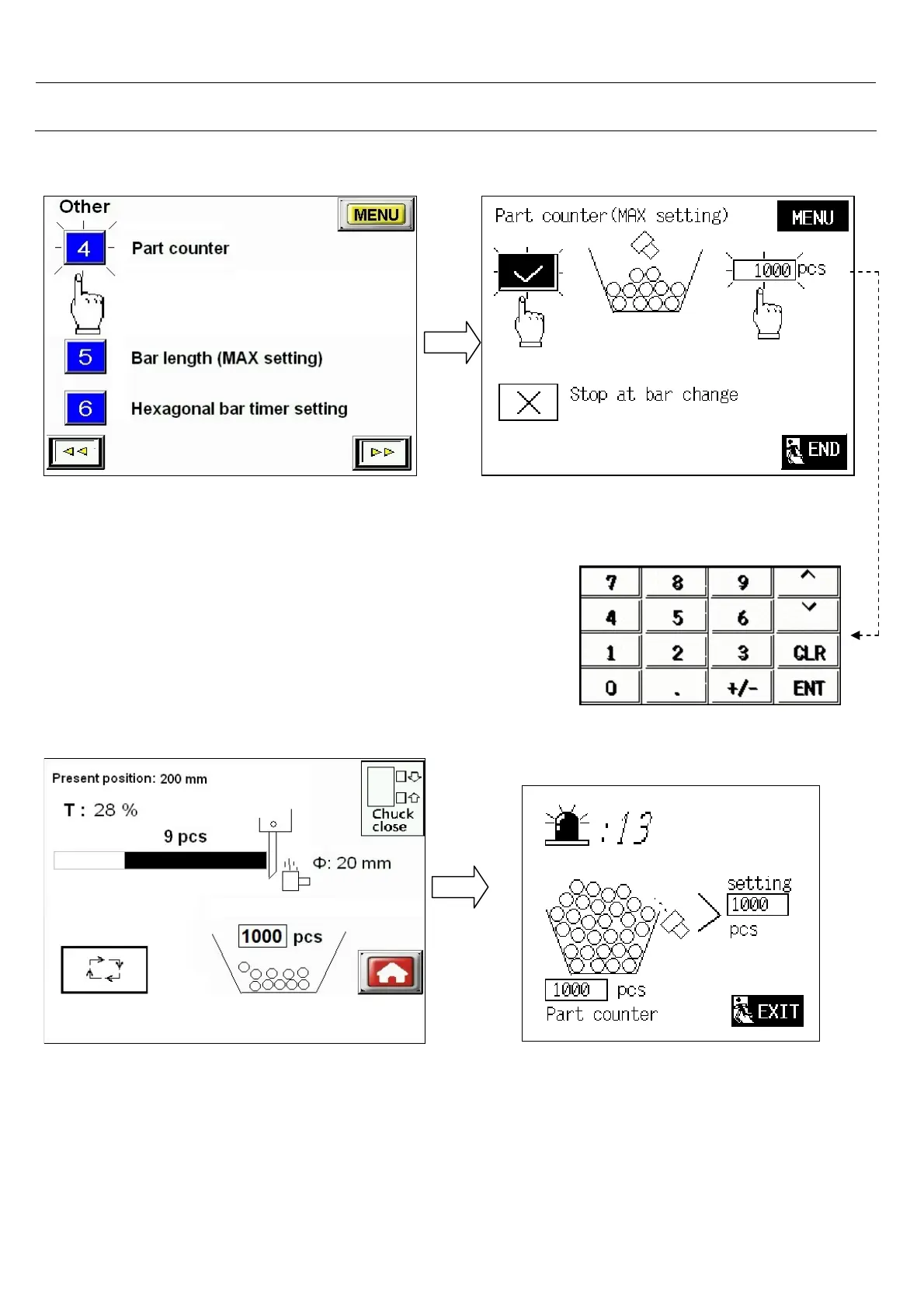
Select 4.< Part counter >
-You can choose Part counter and set
maximum Components value.
-Setting range : 0 pcs to 999999 pcs
If you select piece counter and set maximum Components value, when the barfeeder counter
value reaching to setting value, then barfeeder will stop completely and appear alarm :13
“ bar feeder reached part counter Max. setting value.



 To Next Page