88
4. System Setup
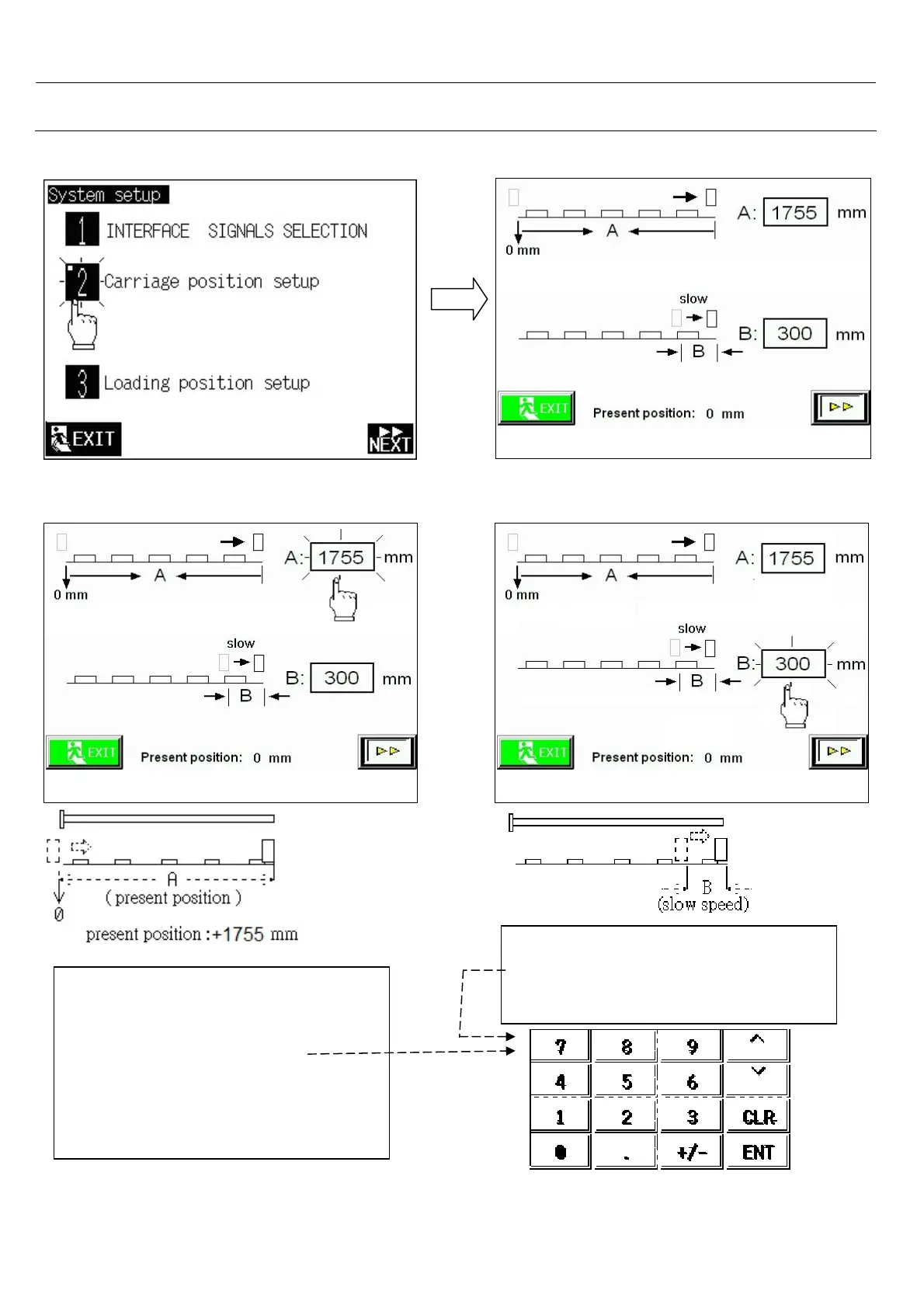
4.3 Carriage position setup
-Push the flag to the forward limit,
than see present position value.
-Touch on A: numeric
-Seems a numerical display.
-If present position=1755 mm Write
A length= 1870 and press<ENT>
-A: Length of flag motion.
- Touch on B: numeric
- Seems a numerical display.
- B: Length for slow pushing.
Select 2.< Carriage position setup >



 To Next Page