70
3. User Setup
3.11.3 Shaft Load
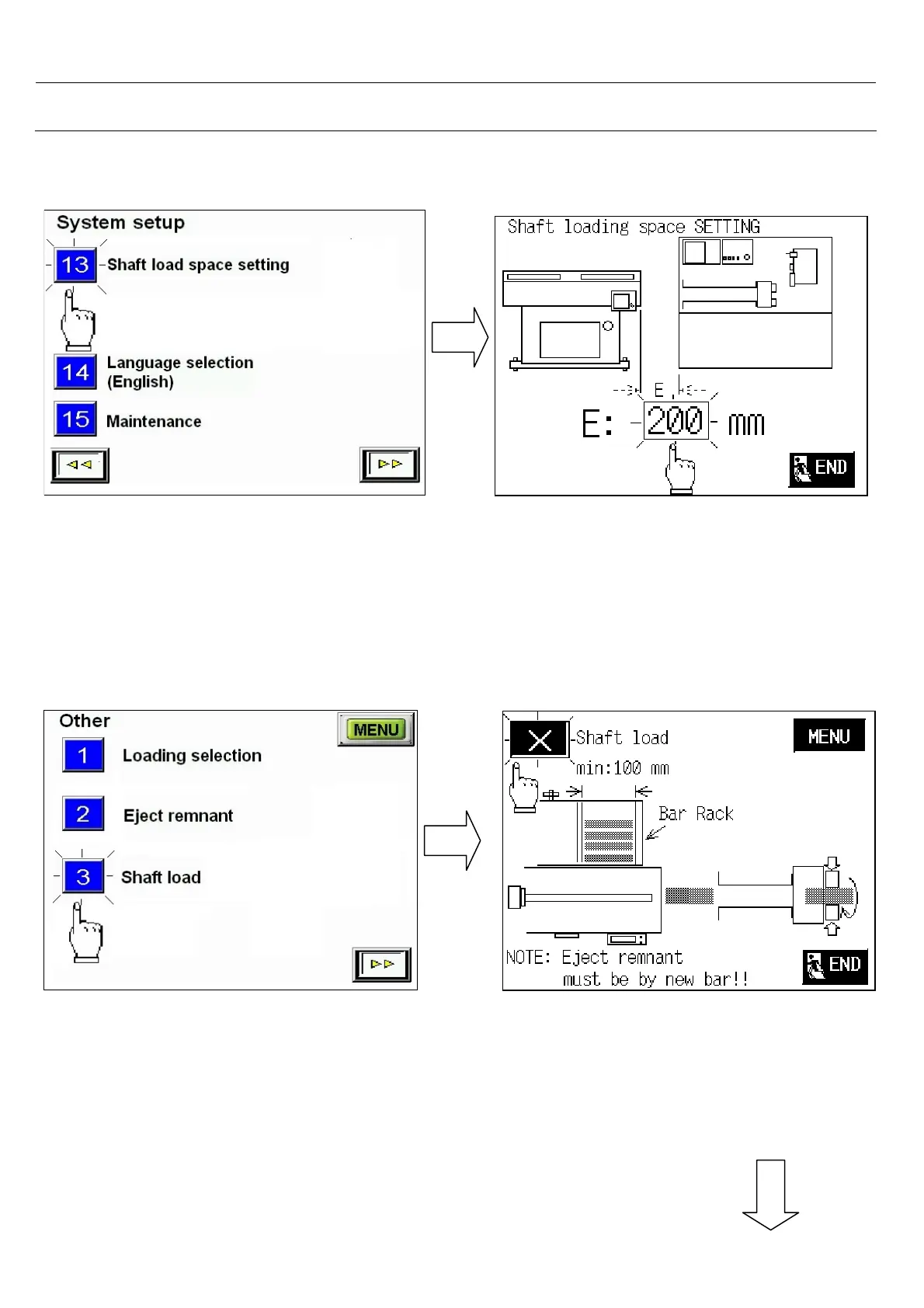
Select .< Shaft load >
- With optional parts of shaft load
, you are able to load bar down to minimu
100mm.
- Before using this function, you need to enter
system setup item 13 (shaft loading space
setting ) to set the E value that is space
between CNC and Barfeeder.
Select system setup item 13 <shaft
loading space setting >



 To Next Page