82
4. System Setup
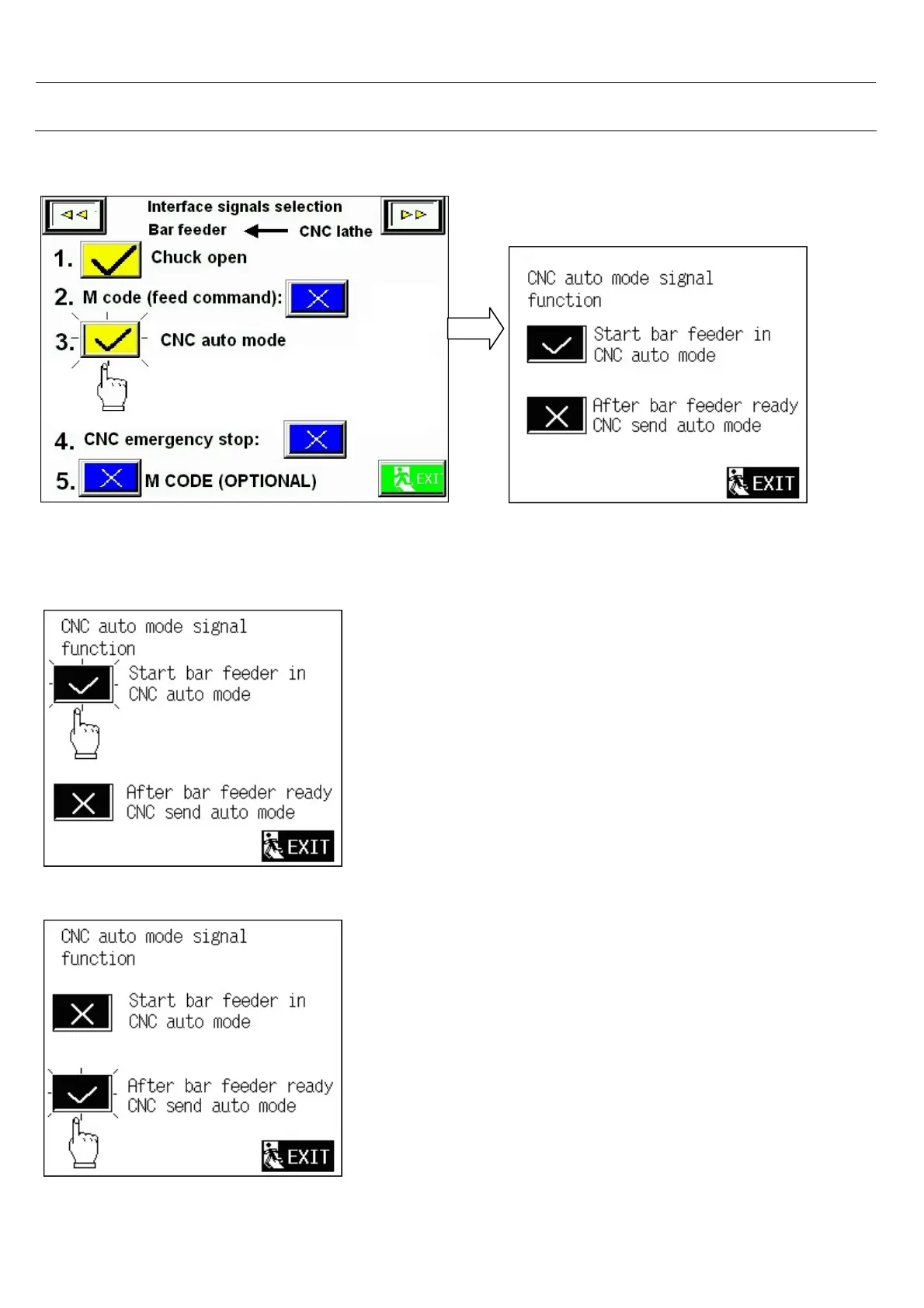
4.2.2 CNC Auto mode signal function
Select 3 < CNC auto mode>
You can choose “Start bar feeder in
CNC auto mode “ OR
“After bar feeder ready CNC send auto
mode “
Select “ Start bar feeder in CNC auto
mode “ ,to cycle start bar feeder , CNC
must be in auto mode ,otherwise
Warning symbol “ ?? 07 CNC not in auto
mode “ appear.
(1) Select “After bar feeder ready CNC send
auto mode ” to cycle start bar feeder, CNC
must be manual mode , if cycle start bar
feeder bar feeder in CNC auto mode,
Warning symbol “ ?? 07A CNC in auto
mode “ appear .
(2) CNC auto mode signal should send after
bar feeder cycle start.



 To Next Page