30
3. User Setup
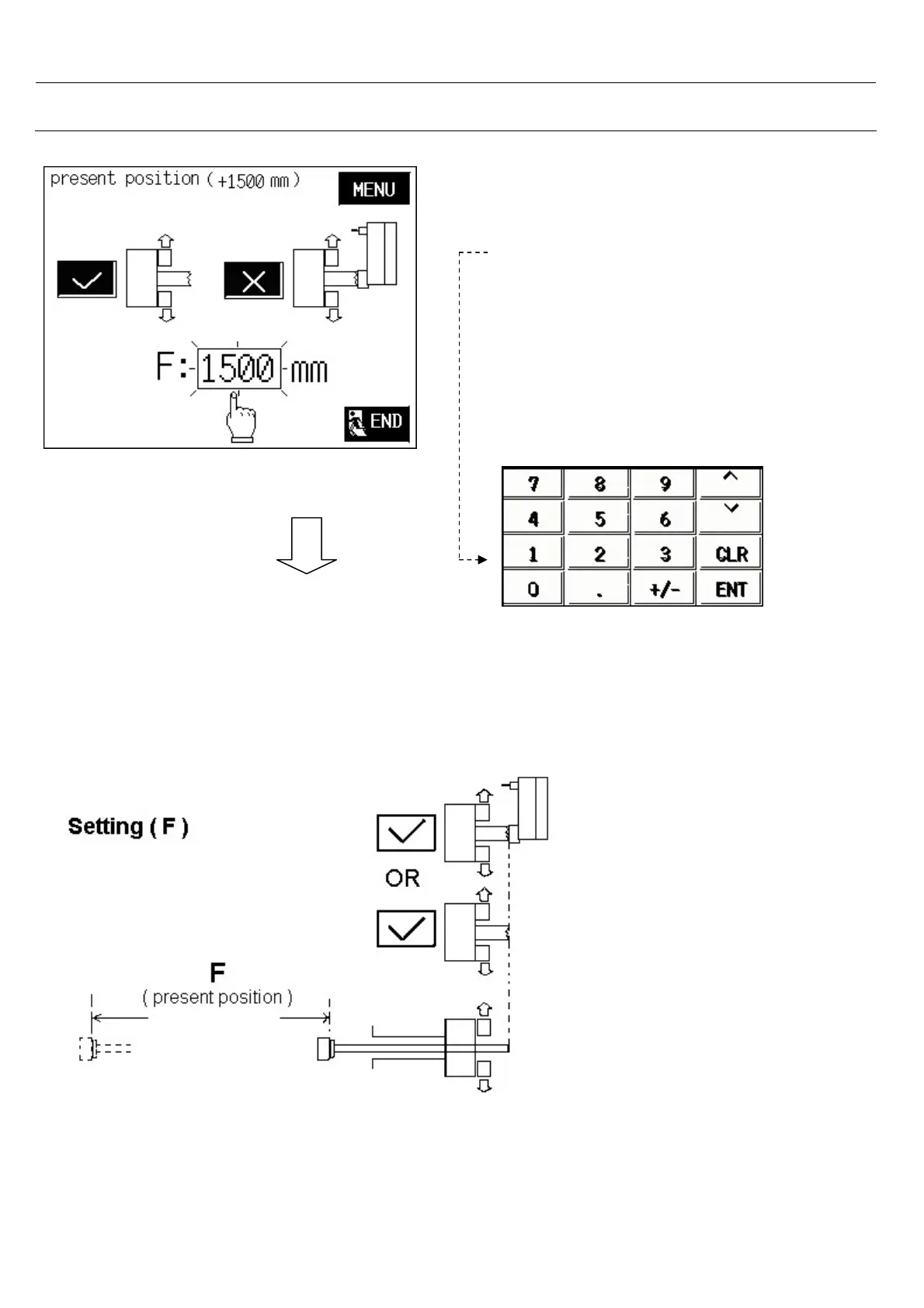
- Push the pushrod to the loading position,
than see present position value.
- Touch on F: numeric
- Seems a numerical display.
- If present position=1500 mm Write
F length= 1500 and press<ENT>
- F: Distance between the front of pushrod
and the loading position.
Note: Any different loading position for a new bar,
Value “ F “ must be changed.
As follow



 To Next Page