141
8. Warning List
Warning
No.
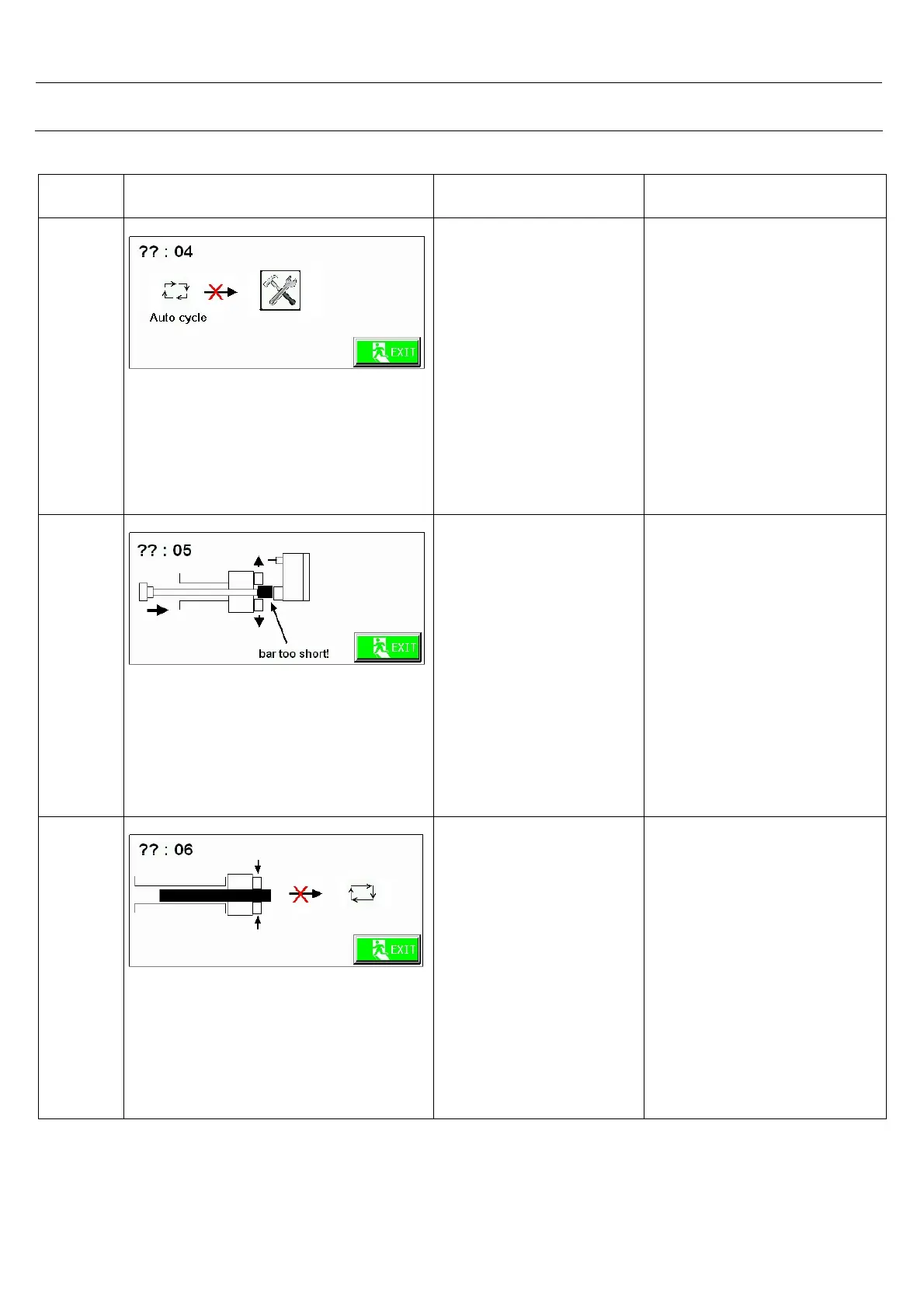
Warning Picture Cause Action
4
Impossible to jump on settings
screen.
You touched on
settings button while
auto running.
-Touch on <NEXT>.
-If you want to set anything,
firstly stop bar feeder and
CNC and then jump to
settings screen.
5
Bar too short.
Bar feeder checked the
bar inside of spindle,
but it is too short you
can’t cut down it.
-Touch on <NEXT>.
-Turn the switch manual
mode.
-Go to reference point.
-Take out short bar.
-Again turn the switch auto
mode.
-And start automatic
working.
6
Impossible to start auto cycle
because chuck close.
CNC chuck is close.
You can’t start auto
cycle.
( when you select chuck
open bar check )
-Touch on <NEXT>.
-Use m code of chuck open
in CNC program.
-If there is still the same
warning, check the chuck
open signal.



 To Next Page