20
2. Operation Panel
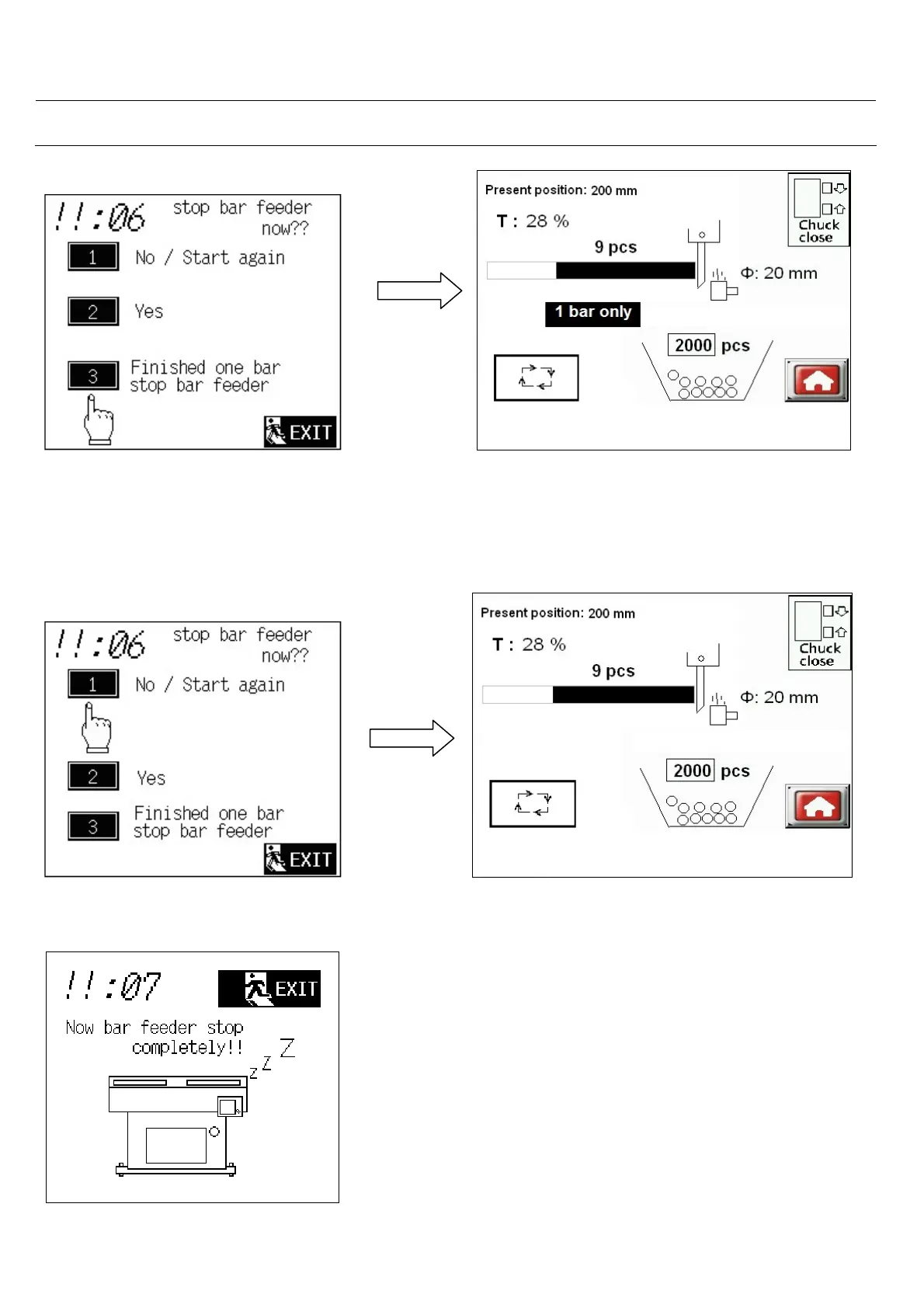
If you select 3 <Finished one bar stop
bar feeder>, after feeding the complete
bar, bar feeder will stop completely!!
(07:Now bar feeder stop completely!!)
appear and send bar feeder alarm signal.
“1 bar only “ show at middle of the screen.
Before completion of the bar , you can touch
the auto cycle button to go to back to the
Questioning screen and make you new
selection.
If you select 1.<NO>, “1 bar only “sign
disappear, bar feeder will continue operating.
“1 bar only” sign disappear, bar feeder
return to normal operation.
When bar feeder stops, please see this screen.



 To Next Page