2 .4
Di sp l ay Lay o u t a n d I co n s
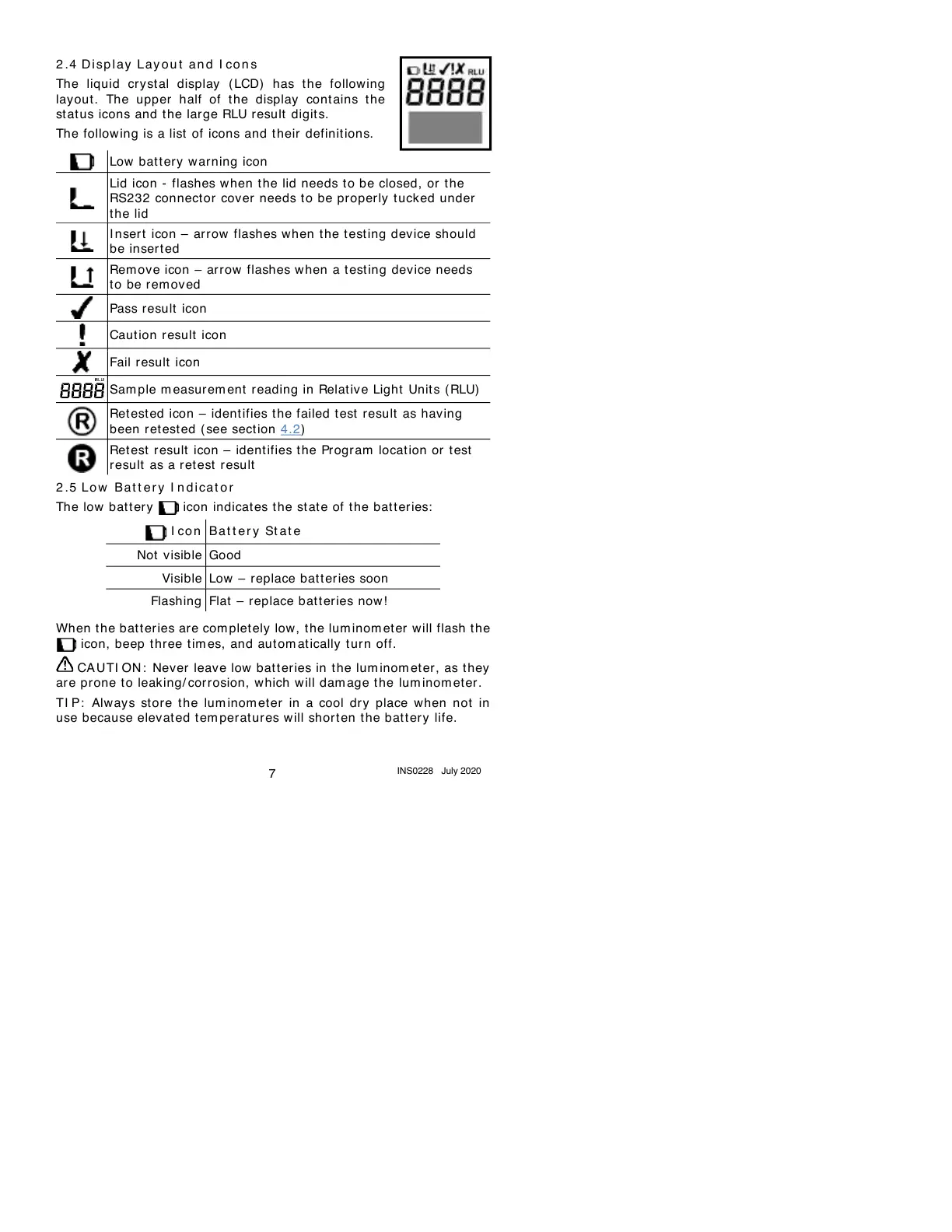
The liquid crystal display ( LCD) has the follow ing
layout . The upper half of the display cont ains t he
st at us icons and t he large RLU result digits.
The following is a list of icons and their definitions.
Low bat t ery warning icon
Lid icon - flashes when t he lid needs to be closed, or t he
RS232 connector cover needs to be properly t uck ed under
the lid
I nsert icon – ar row flashes when t he t esting device should
be insert ed
Rem ove icon – arrow flashes when a test ing device needs
to be rem oved
Sam ple m easurem ent reading in Relativ e Light Unit s (RLU)
Ret ested icon – ident ifies t he failed test result as having
been r et est ed ( see sect ion 4.2)
Ret est result icon – ident ifies the Program locat ion or test
result as a ret est result
2 .5
Lo w Bat t e r y I n d i cat or
The low battery icon indicates the st at e of t he bat t eries:
Low – replace bat t eries soon
Flat – replace bat t eries now!
When t he batteries are com plet ely low, t he lum inom et er will flash t he
icon, beep three tim es, and autom atically tur n off.
CAUTI ON : Never leave low batteries in the lum inom et er, as they
are prone to leaking/ corrosion, which will dam age the lum inom et er.
TI P: Always store the lum inom et er in a cool dry place when not in
use because elevat ed t em peratures will short en the bat t ery life.


 To Next Page