5 .6
Co n n ect i n g t h e Lu m in o m et e r t o t h e PC
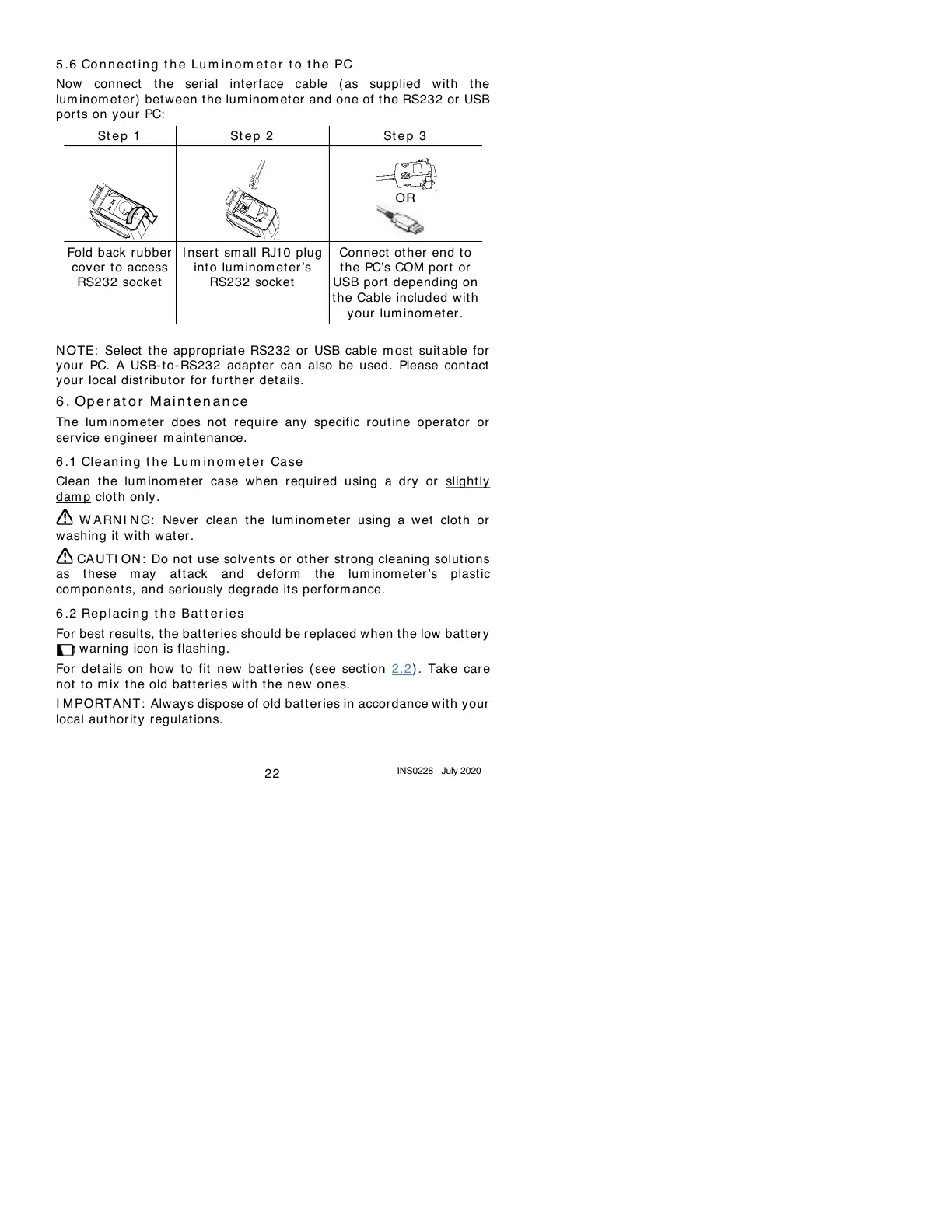
Now connect the serial inter face cable ( as supplied w it h t he
lum inom eter) between the lum inom et er and one of the RS232 or USB
por t s on your PC:
N OTE: Select t he appr opriate RS232 or USB cable m ost suitable for
your PC. A USB-to- RS232 adapter can also be used. Please cont act
your local distr ibut or for fur t her det ails.
6 .
Op e r at o r M ai n t e n an ce
The lum inom et er does not requir e any specific rout ine operat or or
serv ice engineer m aint enance.
6 .1
Cle an i n g t h e Lu m in om et e r Case
Clean t he lum inom et er case when required using a dry or slight ly
dam p clot h only.
W ARN I N G: Never clean the lum inom et er using a wet cloth or
washing it with water.
CAUTI ON : Do not use solvents or ot her st rong cleaning solut ions
as these m ay attack and defor m t he lum inom eter’s plastic
com ponents, and seriously degrade its perform ance.
6 .2
Re p l a ci n g t h e Ba t t e r i es
For best result s, the batt eries should be replaced when the low battery
warning icon is flashing.
For details on how to fit new batteries ( see section 2.2) . Take care
not t o m ix the old batteries wit h the new ones.
I MPORTAN T: Always dispose of old bat t er ies in accordance with your
local aut hor it y regulat ions.



 To Next Page